


Hello everyone. Long time first time. I've been using BI at home for about 9 years now. I'm adding a second system to a small commercial building I own. 4 cameras, nothing crazy. I'm looking into the AI in BI6 which I do not have at home, but will have at my commercial building. I'm trying to figure out what kind of GPU these days would work fairly well for this system. I'm pretty uneducated in the world of AI. I used deep stack on my home server for a little while, but I was using my CPU and I live way out in the country and it just picked up bugs so I quit using it years ago. I'm seeing years old posts of folks using the GTX 10 series cards for AI processing, is that still the route to go? I appreciate your help!
GPU Recommendation
- Thread starter FR9Ford
- Start date
You are using an out of date browser. It may not display this or other websites correctly.
You should upgrade or use an alternative browser.
You should upgrade or use an alternative browser.


With a decent CPU, an expensive and inefficient GPU isn't needed for 4 cameras as the CPU version would be fine.
But if new cameras, why not use the AI in the cameras instead?
But if new cameras, why not use the AI in the cameras instead?

iwanttosee
Getting comfortable
I'm running AI on my i9-9900T with no gpu on 16 cameras.

The CPU can certainly handle a 4 Cam load on AI.
You can try a Gtx 1060 or 1070, I've used both, have both laying around gathering dust.
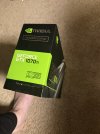
I have the Nvidia 1070ti Founders edition to part with, I can't run it in the Optiplex 9020 because of proprietary PSU limitations.
What CpU are you going to be running?
A 4th Gen or newer Intel could run that, but for Windows 11 you need 8th Gen intel or higher.
and as we speak, I deselected the the GPU and switched to the Intel UHD 630 "on chip" graphics in AI tab of Settings.
I will check it in the morning to see how its doing. Running 15 Cameras ( when did I get to 15?-Jeezuz, I must be some kinda addict)
I was running a test machine, ( Optiplex 9020/Win 10 Pro/i5-4590/32GB ram/EVGA-GTX1060 6GB/, and it could handle AI on 3-4 cams, in a 12 cam system. anymore and it stammered and stuttered.
I have a 3060Ti in here now, and do use photoshop, and you tube, and other Software that can use the extra graphics power.
I don't mind the extra heat from under my desk from now until next May. Lower level of Split level, 1/2 basement( cool in Winter)
You can try a Gtx 1060 or 1070, I've used both, have both laying around gathering dust.
I have the Nvidia 1070ti Founders edition to part with, I can't run it in the Optiplex 9020 because of proprietary PSU limitations.
What CpU are you going to be running?
A 4th Gen or newer Intel could run that, but for Windows 11 you need 8th Gen intel or higher.
and as we speak, I deselected the the GPU and switched to the Intel UHD 630 "on chip" graphics in AI tab of Settings.
I will check it in the morning to see how its doing. Running 15 Cameras ( when did I get to 15?-Jeezuz, I must be some kinda addict)
I was running a test machine, ( Optiplex 9020/Win 10 Pro/i5-4590/32GB ram/EVGA-GTX1060 6GB/, and it could handle AI on 3-4 cams, in a 12 cam system. anymore and it stammered and stuttered.
I have a 3060Ti in here now, and do use photoshop, and you tube, and other Software that can use the extra graphics power.
I don't mind the extra heat from under my desk from now until next May. Lower level of Split level, 1/2 basement( cool in Winter)
Attachments
Hmm. I didn’t really think of doing it that way. I figured the BI way was the way to go.With a decent CPU, an expensive and inefficient GPU isn't needed for 4 cameras as the CPU version would be fine.
But if new cameras, why not use the AI in the cameras instead?
I bought a dell 7060 with an i5-8500.The CPU can certainly handle a 4 Cam load on AI.
You can try a Gtx 1060 or 1070, I've used both, have both laying around gathering dust.
I have the Nvidia 1070ti Founders edition to part with, I can't run it in the Optiplex 9020 because of proprietary PSU limitations.
What CpU are you going to be running?
A 4th Gen or newer Intel could run that, but for Windows 11 you need 8th Gen intel or higher.
and as we speak, I deselected the the GPU and switched to the Intel UHD 630 "on chip" graphics in AI tab of Settings.
I will check it in the morning to see how its doing. Running 15 Cameras ( when did I get to 15?-Jeezuz, I must be some kinda addict)
I was running a test machine, ( Optiplex 9020/Win 10 Pro/i5-4590/32GB ram/EVGA-GTX1060 6GB/, and it could handle AI on 3-4 cams, in a 12 cam system. anymore and it stammered and stuttered.
I have a 3060Ti in here now, and do use photoshop, and you tube, and other Software that can use the extra graphics power.
I don't mind the extra heat from under my desk from now until next May. Lower level of Split level, 1/2 basement( cool in Winter)
Hmm. I didn’t really think of doing it that way. I figured the BI way was the way to go.
Most here use the camera AI if it has it and only use BI AI for dumb cameras or for a feature the cameras doesnt have like reading plates or recognizing specifically the FedEx truck.
But either way, your 8th Gen would be fine with just the CPU version.
Whether to use camera AI or BI AI is obviously up to you, but for most, the AI in the camera may be more than sufficient for your needs without needing BI AI. Do you need the orange box around every object? Do you want to identify animals or logos? Or is just human or vehicle sufficient.
The camera AI is useful to many people, but BI has way more motion setting granularity than the cameras, and some people need that additional detail, especially if wanting AI for more than a car or person. For folks that want AI and alerts on animals or specifically a UPS truck then they need the additional AI.
There isn't really a best practice because every field of view is different and use case and needs are different.
To many here, BI motion without AI is more than adequate for what they do.
To many here, camera AI is more than adequate for what they do.
To many here, using the BI AI adds additional functionality that the above alone can not do.
It comes down to testing with each field of view and which one gives you the most consistent results.
While some of that third party stuff is cool like tagging was it a dog or a bear, I don't need all that fancy stuff. If my camera triggers BI to tag an alert for human or vehicle and BI can accomplish what I need by way of a text or email or push or whatever, that is sufficient for my needs. I just want to be alerted if a person or vehicle is on my property and the camera AI does a fine job with that. This will keep the CPU at a bare minimum.
However, I do run BI AI on a few cameras so that it knocks out headlight shine so that the alert image includes the vehicle. The camera AI will trigger for a car, but the alert image was always just the headlights. I also run the ANPR AI module.
The true test....I have found the AI of the cameras to work even in a freakin blizzard....imagine how much a camera or BI using only motion detection would be triggering! My non-AI cams in BI were triggering all night. This picture was ran through AI (without the IVS or red lines on it) and it failed to recognize a person in the picture, but the camera AI did. This pic says it all and the video had the red box over it even in complete white out on the screen:

See this thread on how using just Dahua AI may be sufficient for your needs (and other cameras with AI would perform similar):
Who uses Dahua AI capable cameras? Reliable AI for triggering events? Pro's/con's?
The camera AI is useful to many people, but BI has way more motion setting granularity than the cameras, and some people need that additional detail, especially if wanting AI for more than a car or person. For folks that want AI and alerts on animals or specifically a UPS truck then they need the additional AI.
There isn't really a best practice because every field of view is different and use case and needs are different.
To many here, BI motion without AI is more than adequate for what they do.
To many here, camera AI is more than adequate for what they do.
To many here, using the BI AI adds additional functionality that the above alone can not do.
It comes down to testing with each field of view and which one gives you the most consistent results.
While some of that third party stuff is cool like tagging was it a dog or a bear, I don't need all that fancy stuff. If my camera triggers BI to tag an alert for human or vehicle and BI can accomplish what I need by way of a text or email or push or whatever, that is sufficient for my needs. I just want to be alerted if a person or vehicle is on my property and the camera AI does a fine job with that. This will keep the CPU at a bare minimum.
However, I do run BI AI on a few cameras so that it knocks out headlight shine so that the alert image includes the vehicle. The camera AI will trigger for a car, but the alert image was always just the headlights. I also run the ANPR AI module.
The true test....I have found the AI of the cameras to work even in a freakin blizzard....imagine how much a camera or BI using only motion detection would be triggering! My non-AI cams in BI were triggering all night. This picture was ran through AI (without the IVS or red lines on it) and it failed to recognize a person in the picture, but the camera AI did. This pic says it all and the video had the red box over it even in complete white out on the screen:
See this thread on how using just Dahua AI may be sufficient for your needs (and other cameras with AI would perform similar):
Who uses Dahua AI capable cameras? Reliable AI for triggering events? Pro's/con's?
That’s a great processor for BI. Efficient, not too hot I ran the Condo security cams on an i5-8500I bought a dell 7060 with an i5-8500.
24 hours of Blue Iris, with AI duties given to the intel processors GPU, I see my MSEC times appear shorter than I remember with the Nvidia 3060. I'll have to take notes. see what is doing what. yeah wow. the Nvidia GPU doing AI seems way longer on MSEC times...compared to running AI off the Intel GPU....Weird.....


There is another thread on BI6 -AI ("not using Nvidia card"). In that thread I posted that I am seeing my Intel 630 GPU appears to perform better (round trip times) than my Nvidia GPU which seemed weird. Even though my Nvidia GPU is a very weak one =GT 1030, I expected it to perform better than the 630..
After a bit of testing I found that the selection order in the main AI tab, as which GPU to use, is not what it appears (at least on my system). The Intel 630 GPU and the NVidia GPU are reverse ordered.
To confirm whether this is true or not open the task manager - performance monitor and put it side by side with the BI6 Status-Overview page during a motion event. From doing that I see that when the Intel 630 GPU is selected to be used - the performance monitor shows that it is actually the Nvidia GPU that is being utilized. And Visa Versa.
May not be true with all systems or GPUs but is what is happening on my system. Blue Iris support says the enumeration order for that selection is dependent upon what the DIrectML or ONNX drivers provide to BI6 and out of their control - could be a bug in the drivers.
After a bit of testing I found that the selection order in the main AI tab, as which GPU to use, is not what it appears (at least on my system). The Intel 630 GPU and the NVidia GPU are reverse ordered.
To confirm whether this is true or not open the task manager - performance monitor and put it side by side with the BI6 Status-Overview page during a motion event. From doing that I see that when the Intel 630 GPU is selected to be used - the performance monitor shows that it is actually the Nvidia GPU that is being utilized. And Visa Versa.
May not be true with all systems or GPUs but is what is happening on my system. Blue Iris support says the enumeration order for that selection is dependent upon what the DIrectML or ONNX drivers provide to BI6 and out of their control - could be a bug in the drivers.

wow. I watched as my gf came up the driveway and triggered a couple cams and you can see in the GPU graph activity began spiking up. With the Intel 630 Selected in BI.There is another thread on BI6 -AI ("not using Nvidia card"). In that thread I posted that I am seeing my Intel 630 GPU appears to perform better (round trip times) than my Nvidia GPU which seemed weird. Even though my Nvidia GPU is a very weak one =GT 1030, I expected it to perform better than the 630..
After a bit of testing I found that the selection order in the main AI tab, as which GPU to use, is not what it appears (at least on my system). The Intel 630 GPU and the NVidia GPU are reverse ordered.
To confirm whether this is true or not open the task manager - performance monitor and put it side by side with the BI6 Status-Overview page during a motion event. From doing that I see that when the Intel 630 GPU is selected to be used - the performance monitor shows that it is actually the Nvidia GPU that is being utilized. And Visa Versa.
May not be true with all systems or GPUs but is what is happening on my system. Blue Iris support says the enumeration order for that selection is dependent upon what the DIrectML or ONNX drivers provide to BI6 and out of their control - could be a bug in the drivers.

Thank you guys for your responses! I'm going to just let it run off the intel for now, and we'll see how it goes.