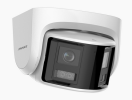
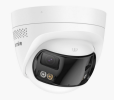
From what I have noticed, the FCD600 and FCD800 for the past six months or more is not the same as when this thread was started.
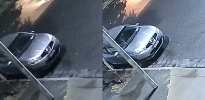
Original (Version 1) - This was only the FCD600 so 6MP. This one had a full metal housing which is on the camera itself (part where all the lens and electronics are housed) along with the bracket that holds the camera in place. This camera had VCA's so had the ability to do line crossing and intrusion. Firmware update to this model added hybrid illumination mode.
View attachment 246291
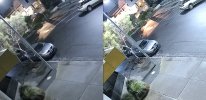
Version 2 - Same as above but all new housing. Housing is all plastic for both the camera and the bracket. Bracket is an odd shape (rectangle) so it does cause some headaches if you are needing a junction box for this camera. All the same detections as version 1. The whole camera (camera and housing) attaches to wall/soffit with a clip what is similar to a french cleat. This new design included the 8MP version (FCD800) which is utilizing the same sensors as the FCD600 but with the higher resolution. There may be concerns with the switch to all plastic but on my unit it is still working perfectly in direct sun more than half the day. I would note that the camera has changed colors to a sandy yellow color due to being in direct sunlight.
View attachment 246292
I have done a modification to there I took the camera portion of version 2 and put it on the housing of version 1 on another FCD800 that I have. Yes it will work but would need to get a slightly longer screw.
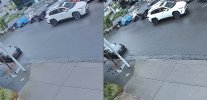
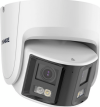
Version 3 - I don't even know why Annke didn't change the model number on this as it is a completely different camera hardware wise. The sensor is different. 1/2.4 vs 1/2.5. Design language is completely different. The main camera uses a turret (eyeball) design. The eyeball is metal while the bracket is plastic. In my opinion the plastic feels thinner. There is no way to lock the angle of the eyeball. This uses friction to keep the eyeball from moving. Note that with the camera mounted, you can still move the eyeball around easily. It is not locked like version 1 or 2 with a screw. The main disappointment of this camera is that you only have motion detection with human and vehicle detection. No VCA's like line crossing or intrusion. So less detections. You still have active deterrence on this version along with dual lighting.
View attachment 246296