Hi everyone,
Some of you may have seen earlier versions of this app that I posted here over the past months and then took down. I owe you a short explanation before anything else, because I don't want it to look like I was playing games with the threads.
The truth is simple: I kept iterating. Every time I shared a build, I learned something, reworked it, and eventually wasn't satisfied that it was solid enough to deserve a permanent home here. Rather than leave half-finished versions sitting around with broken links and outdated instructions, I deleted them. I'd rather post nothing than post something I'm not confident in. This post is the result of that process — a proper, ground-up rebuild that I'm finally comfortable putting my name behind.
What it is
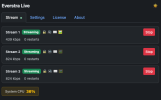
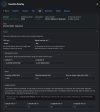
Everstra Live is a free ACAP application that runs directly on your Axis camera and streams live to YouTube, Twitch, or any RTMP destination. No external server, no PC running in the background, no cloud middleman, no subscription. The camera does the work itself, and the stream goes straight from the sensor to your platform of choice.
A few technical points this community will care about:
Everstra is designed to be modular. Live (streaming) is the first module and the one that's available now. The idea is that each module does one job well, rather than one bloated app trying to do everything. More modules will follow over time, but I'd rather ship one solid, finished thing than promise a roadmap I can't yet stand behind. So for now: it streams, and it streams reliably.
Camera compatibility — honestly
I want to be straight with you here, because this community knows its hardware. The app is built for Axis cameras with ACAP support, in both the 64-bit (aarch64, most current models) and 32-bit (armv7hf) architectures. Firmware 10.x or later is recommended.
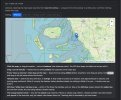
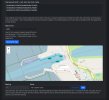
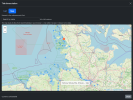
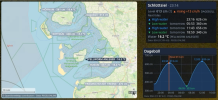
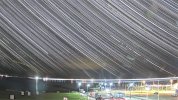
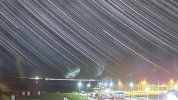
What I've personally tested it on is an AXIS P1455-LE (ARTPEC-7) — and that's not just a lab claim: it's the exact camera that runs my Schlüttsiel ferry-harbour webcam, streaming continuously, 24/7, in all weathers. You can see it live on the References page. I've also run it on an AXIS Q1728 (ARTPEC-9, AXIS OS 12).
Beyond those, "built for" and "tested on" are not the same thing, and I won't pretend otherwise. If you have a different model, I'd genuinely like to hear whether it works for you — that real-world feedback is how the compatibility picture gets filled in properly. Tell me your model and I'll tell you what I know.
How it respects you and your camera
A few principles guide how this project treats you and your camera:
This is a niche tool, and that's exactly why it's free — it solves a specific problem for a small group of people, and I wanted it available to anyone who needs it, without a paywall in the way. I'll be honest with you: if demand ever turns out much higher than I expect, I might one day ask for a small contribution toward continued development and support — more users inevitably means more support questions, and I'm just one person. But that's a "someday, maybe" thought, not a plan. And as I said: anything you've already activated for free stays free for that camera.
You can find it here: everstra.com
I'll be around in this thread to answer questions, take bug reports, and hear how it runs on your hardware. Thanks for reading — and thanks to this community, which has been a genuinely useful place over the years.
— Dirk Jensen
Some of you may have seen earlier versions of this app that I posted here over the past months and then took down. I owe you a short explanation before anything else, because I don't want it to look like I was playing games with the threads.
The truth is simple: I kept iterating. Every time I shared a build, I learned something, reworked it, and eventually wasn't satisfied that it was solid enough to deserve a permanent home here. Rather than leave half-finished versions sitting around with broken links and outdated instructions, I deleted them. I'd rather post nothing than post something I'm not confident in. This post is the result of that process — a proper, ground-up rebuild that I'm finally comfortable putting my name behind.
What it is
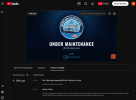
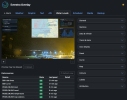
Everstra Live is a free ACAP application that runs directly on your Axis camera and streams live to YouTube, Twitch, or any RTMP destination. No external server, no PC running in the background, no cloud middleman, no subscription. The camera does the work itself, and the stream goes straight from the sensor to your platform of choice.
A few technical points this community will care about:
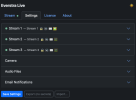
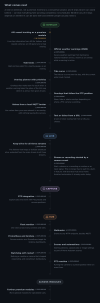
- It remuxes the camera's H.264 stream rather than re-encoding it — minimal CPU and power load.
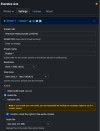
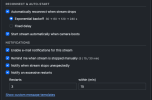
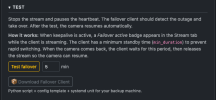
- Automatic reconnect with configurable exponential backoff or fixed delay.
- Silent audio track by default; optional uploaded audio files (internal storage or SD card) or a network audio URL.
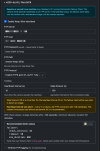
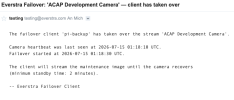
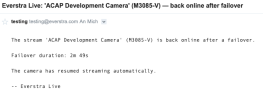
- E-mail notifications for stream events: unexpected stop, restart-threshold exceeded, and reminders if you manually stop and forget to restart.
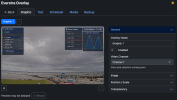
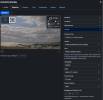
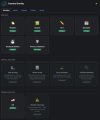
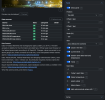
- Web UI served directly from the camera's own settings page — no separate app, no login, no portal.
- Settings export/import (secrets excluded), dark mode, and optional auto-start on camera boot.
Everstra is designed to be modular. Live (streaming) is the first module and the one that's available now. The idea is that each module does one job well, rather than one bloated app trying to do everything. More modules will follow over time, but I'd rather ship one solid, finished thing than promise a roadmap I can't yet stand behind. So for now: it streams, and it streams reliably.
Camera compatibility — honestly
I want to be straight with you here, because this community knows its hardware. The app is built for Axis cameras with ACAP support, in both the 64-bit (aarch64, most current models) and 32-bit (armv7hf) architectures. Firmware 10.x or later is recommended.
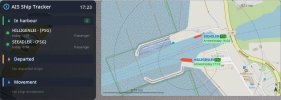
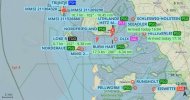
What I've personally tested it on is an AXIS P1455-LE (ARTPEC-7) — and that's not just a lab claim: it's the exact camera that runs my Schlüttsiel ferry-harbour webcam, streaming continuously, 24/7, in all weathers. You can see it live on the References page. I've also run it on an AXIS Q1728 (ARTPEC-9, AXIS OS 12).
Beyond those, "built for" and "tested on" are not the same thing, and I won't pretend otherwise. If you have a different model, I'd genuinely like to hear whether it works for you — that real-world feedback is how the compatibility picture gets filled in properly. Tell me your model and I'll tell you what I know.
How it respects you and your camera
A few principles guide how this project treats you and your camera:
- No phone-home. The app never contacts external servers on its own. No telemetry, no usage reporting, nothing sent from the camera.
- No cloud dependency. Everything runs on the camera itself, on your local network. No account, no subscription, no external service to keep alive.
- Free, hardware-bound license. Each license is tied to an individual camera and issued at no charge — just request one by email from the app's settings page. No account, no form, no payment. And what's free stays free: any license you already hold remains free for the lifetime of that camera.
- Verifiable binaries. A SHA-256 checksum is published next to every download, so you can confirm the file you install is the file I built.
- Transparent components. Every bundled open-source library (FFmpeg, cJSON, TweetNaCl, Bootstrap, and an MIT-licensed ACAP helper) is listed with its license, and the FFmpeg source is available for download.
This is a niche tool, and that's exactly why it's free — it solves a specific problem for a small group of people, and I wanted it available to anyone who needs it, without a paywall in the way. I'll be honest with you: if demand ever turns out much higher than I expect, I might one day ask for a small contribution toward continued development and support — more users inevitably means more support questions, and I'm just one person. But that's a "someday, maybe" thought, not a plan. And as I said: anything you've already activated for free stays free for that camera.
You can find it here: everstra.com
I'll be around in this thread to answer questions, take bug reports, and hear how it runs on your hardware. Thanks for reading — and thanks to this community, which has been a genuinely useful place over the years.
— Dirk Jensen
Attachments

Last edited: