DS-KV6113-WPE1(C) - Password Reset - All methods failed - Need help

maksio

n3wb
Oct 11, 2020
1
0
UK
Hi everyone,


I have a DS-KV6113-WPE1(C) firmware V2.2.65 build 230703 (grey market, Hikvision UK refused support).


What I have tried:


TFTP recovery
- Device boots to 192.0.0.64, PC set to 192.0.0.128, digicap.dav ready, firewall off. Device never contacts TFTP server. No entries in Tftpd64 logs.


SD card - FAT32, digicap.dav only file. Device boots normally and writes its own files to SD card. Firmware not loaded.


UART serial (CP2102, pin 2=TX, pin 3=RX, pin 4=GND on JP4 connector, 115200 baud) - Successfully connected, can see full boot log. Gets to PSH shell with # prompt. Only 4 commands available: getHardInfo, help, Debug, sandbox. No cat, no passwd, no file access.


Debug command - Shows challenge code CAAAAAhUESrXxBy9fCo= but requires RSA key from Hikvision. Not possible for grey market.


U-Boot - Any key press during boot goes directly to TFTP upgrade menu. Cannot get normal U-Boot prompt. TFTP upgrade menu asks for device IP and server IP but never contacts server - loops asking for IPs repeatedly.


SADP password reset - Only shows "Import File" option, no security code field. Requires encrypted XML file from Hikvision.


Device details:
  • Model: DS-KV6113-WPE1(C)
  • Serial: AX8368585
  • Firmware: V2.2.65 build 230703
  • IP: 192.168.1.233
  • MAC: 08-54-11-2a-d7-c4
  • PCB: 17679 REV1.3, 2019.10.17
  • U-Boot: 2019.04-svn567954, Mar 28 2023

Has anyone managed to reset password or load firmware on this specific model/firmware version? The TFTP upgrade menu network issue seems to be a known problem (saw similar report on page 24 of this thread) but no solution was posted.

I also tried upgrading via SD card (FAT32, 16GB) with both V2.2.65 build 230703 and V2.2.77 build 240515 firmware downloaded directly from Hikvision UK portal:

The device detects the file correctly

mount ok,
/mnt/upgrade/digicap.dav exist,
/mnt/upgrade/digicap.dav start upgrade

but immediately fails with: file numbers invalid:-16580608, seem firmware not seeked, /mnt/upgrade/digicap.dav upgrade fail retVal:2


Error -16580608 = 0xFF030000 in hex. Both firmware versions produce identical error. Card is freshly formatted FAT32 before each attempt, single file only.


Has anyone seen this "file numbers invalid" error before? Is there a specific SD card size requirement or a different file format needed for this model?


Any help appreciated!
 
Last edited:
I have a DS-KV6113-WPE1(C)
A year or so back, I was sent a faulty one of these (unsolicited) by an eBay seller wondering if I could fix it up.
I found that a downstream power converter had been damaged by water ingress.
I worked around that and got it to boot, but it wasn't in a state to sell on.
But out of curiosity, as I'd not seen one before, I did a little exploring, extracted the admin password and dumped the device contents.

I'm going to gloss over much of the tech detail, I'm guessing you are reasonable tech savvy enough to have a go, and I can clarify where needed.
There are 2 approaches to extracting the device contents - use tftp at the bootloader and unpack the flash, or gain root shell access and work directly with the booted system.
Although I have copies of all the saved contents, my notes are a bit sparse and don't show which method I used.
Either way, though, the device configuration was held in a SQLite3 database, with the admin password in plaintext.

Via the bootloader :
Code:
U-Boot 2010.06-svn167559 (Sep 03 2019 - 14:54:44)

spi_w25q256fv_solve_flash_lock_qe_enable(268): Error: Disable Quad failed! reg:0x2
spi_w25q256fv_entry_4addr enable is 1
Hit any key to stop autoboot:  0

This program will upgrade software.
*******************************************************
*  ATTENTION!! PLEASE READ THIS NOTICE CAREFULLY!     *
*  Don't reset machine,or anything that interrupt it. *
*  The upgrade process must finish in 10 minutes!     *
*  If this program fails,machine might be unusable,   *
*  and you will need to reflash again.                *
*  If you find this too risky,power off machine now.  *
*******************************************************

Now press [u/U] key to upgrade software:

This program will upgrade software.
*******************************************************
*  ATTENTION!! PLEASE READ THIS NOTICE CAREFULLY!     *
*  Don't reset machine,or anything that interrupt it. *
*  The upgrade process must finish in 10 minutes!     *
*  If this program fails,machine might be unusable,   *
*  and you will need to reflash again.                *
*  If you find this too risky,power off machine now.  *
*******************************************************

Now press [u/U] key to upgrade software: b
HKVS #
HKVS #
HKVS # printenv
default=cramfsload 0x80400000 uImage;cramfsload 0x80800000 ramdisk.gz;
sec=tftp 0x80100000 sample_sec.bin;go 0x80100000;
bootdelay=1
baudrate=115200
mdio_intf=mii
ipaddr=192.0.0.64
serverip=192.0.0.128
gatewayip=192.0.0.1
netmask=255.255.255.0
bootfile=uImage
phyaddr0=1
bootargs=mem=202M console=ttyS0,115200
ethaddr=98:df:82:98:90:10
stdin=serial
stdout=serial
stderr=serial
verify=n

Environment size: 386/4092 bytes
HKVS # setenv ipaddr 192.168.1.64
HKVS # setenv serverip 192.168.1.99
HKVS # ping 192.168.1.99
Hisilicon ETH net controler
MAC:   98-DF-82-98-90-10
eth0 : phy status change : LINK=UP : DUPLEX=FULL : SPEED=100M
host 192.168.1.99 is alive
HKVS #
HKVS # sf probe 0
32768 KiB hi_fmc at 0:0 is now current device
HKVS # sf read 0x80400000 0x0 0x02000000

HKVS # tftp 0x80400000 flash_all.bin 0x02000000
TFTP to server 192.168.1.99; our IP address is 192.168.1.64
Upload Filename 'flash_all.bin'.
Upload from address: 0x80400000, 32.000 MB to be send ...
Uploading: *
TFTP error: 'Permission denied' (0)
Starting again

TFTP to server 192.168.1.99; our IP address is 192.168.1.64
Upload Filename 'flash_all.bin'.
Upload from address: 0x80400000, 32.000 MB to be send ...
Uploading: *
TFTP error: 'Permission denied' (0)
Starting again


[snip]
The target file flash_all.bin in the tftp root must pre-exist, and it must be writable.
Fix that and the transfer works.
The flash partitions mtdblock0 and mtdblock1 can also be transferred, knowing where in the flash they exist :
Code:
 0.713468] hisi-sfc hisi_spi_nor.0: all blocks is unlocked.
[    0.719259] hisi-sfc hisi_spi_nor.0: w25q256 (32768 Kbytes)
[    0.724902] flash 0 has 512 blocks
[    0.728341] Creating 2 MTD partitions on "hisi_spi_nor.0":
[    0.733859] 0x000000060000-0x0000001e0000 : "mtdblock0"
[    0.740626] 0x0000001e0000-0x000002000000 : "mtdblock1"


Via a root shell :
The booted environment at the root shell is incomplete and needs to be manually completed before it's usable.
Start with a bootargs tweak.
Code:
U-Boot 2010.06-svn167559 (Sep 03 2019 - 14:54:44)

spi_w25q256fv_solve_flash_lock_qe_enable(268): Error: Disable Quad failed! reg:0x2
spi_w25q256fv_entry_4addr enable is 1
Hit any key to stop autoboot:  0

This program will upgrade software.
*******************************************************
*  ATTENTION!! PLEASE READ THIS NOTICE CAREFULLY!     *
*  Don't reset machine,or anything that interrupt it. *
*  The upgrade process must finish in 10 minutes!     *
*  If this program fails,machine might be unusable,   *
*  and you will need to reflash again.                *
*  If you find this too risky,power off machine now.  *
*******************************************************

Now press [u/U] key to upgrade software:

This program will upgrade software.
*******************************************************
*  ATTENTION!! PLEASE READ THIS NOTICE CAREFULLY!     *
*  Don't reset machine,or anything that interrupt it. *
*  The upgrade process must finish in 10 minutes!     *
*  If this program fails,machine might be unusable,   *
*  and you will need to reflash again.                *
*  If you find this too risky,power off machine now.  *
*******************************************************

Now press [u/U] key to upgrade software: b
HKVS #
HKVS #
HKVS #
HKVS # printenv
default=cramfsload 0x80400000 uImage;cramfsload 0x80800000 ramdisk.gz;
sec=tftp 0x80100000 sample_sec.bin;go 0x80100000;
bootdelay=1
baudrate=115200
mdio_intf=mii
ipaddr=192.0.0.64
serverip=192.0.0.128
gatewayip=192.0.0.1
netmask=255.255.255.0
bootfile=uImage
phyaddr0=1
bootargs=mem=202M console=ttyS0,115200 debug
ethaddr=98:df:82:98:90:10
stdin=serial
stdout=serial
stderr=serial
verify=n

Environment size: 392/4092 bytes
HKVS #
HKVS # setenv bootargs mem=202M console=ttyS0,115200 debug init=/bin/sh
HKVS # saveenv
Saving Environment to SPI Flash...
Erasing ... done
Writing ... done
HKVS # reset
resetting ...

Then complete the environment and gain a root shell :
Code:
/ # /bin/mount -a
/ # mount
rootfs on / type rootfs (rw)
/dev/root on / type ext2 (rw,relatime,errors=continue)
proc on /proc type proc (rw,relatime)
sysfs on /sys type sysfs (rw,relatime)
/ #
/ #
/ #
/ # cat /proc/mtd
dev:    size   erasesize  name
mtd0: 00180000 00010000 "mtdblock0"
mtd1: 01e20000 00010000 "mtdblock1"
/ #
/ # ifconfig
eth0      Link encap:Ethernet  HWaddr 98:DF:82:98:90:10
          inet addr:192.0.0.64  Bcast:192.0.0.255  Mask:255.255.255.0
          inet6 addr: fe80::9adf:82ff:fe98:9010/64 Scope:Link
          UP BROADCAST RUNNING MULTICAST  MTU:1500  Metric:1
          RX packets:71 errors:0 dropped:9 overruns:0 frame:0
          TX packets:8 errors:0 dropped:0 overruns:0 carrier:0
          collisions:0 txqueuelen:1000
          RX bytes:5902 (5.7 KiB)  TX bytes:648 (648.0 B)
          Interrupt:28

lo        Link encap:Local Loopback
          inet addr:127.0.0.1  Mask:255.0.0.0
          inet6 addr: ::1/128 Scope:Host
          UP LOOPBACK RUNNING  MTU:65536  Metric:1
          RX packets:0 errors:0 dropped:0 overruns:0 frame:0
          TX packets:0 errors:0 dropped:0 overruns:0 carrier:0
          collisions:0 txqueuelen:0
          RX bytes:0 (0.0 B)  TX bytes:0 (0.0 B)

/ # ls -al /
drwxr-xr-x   16 root     root          1024 Dec 21  2019 .
drwxr-xr-x   16 root     root          1024 Dec 21  2019 ..
drwxr-xr-x    2 root     root          1024 Dec 12  2019 bin
drwxr-xr-x    2 root     root          1024 Dec 12  2019 dev
drwxr-xr-x    7 root     root          1024 Dec 21  2019 etc
drwxr-xr-x    5 root     root          1024 Dec 12  2019 home
lrwxrwxrwx    1 root     root             9 Dec 21  2019 init -> sbin/init
drwxr-xr-x    2 root     root          1024 Dec 12  2019 lib
lrwxrwxrwx    1 root     root            11 Dec 21  2019 linuxrc -> bin/busybox
drwxr-xr-x    2 root     root          1024 Dec 12  2019 mnt
drwxr-xr-x    2 root     root          1024 Dec 12  2019 opt
dr-xr-xr-x   39 root     root             0 Jan  1 00:00 proc
drwxr-xr-x    2 root     root          1024 Dec 12  2019 root
drwxr-xr-x    2 root     root          1024 Dec 12  2019 sbin
dr-xr-xr-x   12 root     root             0 Jan  1 00:02 sys
drwxr-xr-x    2 root     root          1024 Dec 12  2019 tmp
drwxr-xr-x    4 root     root          1024 Dec 12  2019 usr
drwxr-xr-x    5 root     root          1024 Dec 12  2019 var
/ # ls -al /home
drwxr-xr-x    5 root     root          1024 Dec 12  2019 .
drwxr-xr-x   16 root     root          1024 Dec 21  2019 ..
drwxr-xr-x    2 root     root          1024 Dec 12  2019 app
drwxr-xr-x    2 root     root          1024 Dec 12  2019 config
drwxr-xr-x    2 root     root          1024 Dec 12  2019 hik
/ # ls -al /home/app
drwxr-xr-x    2 root     root          1024 Dec 12  2019 .
drwxr-xr-x    5 root     root          1024 Dec 12  2019 ..
/ # ls -al /home/config
drwxr-xr-x    2 root     root          1024 Dec 12  2019 .
drwxr-xr-x    5 root     root          1024 Dec 12  2019 ..
/ # ls -al /home/hik
drwxr-xr-x    2 root     root          1024 Dec 12  2019 .
drwxr-xr-x    5 root     root          1024 Dec 12  2019 ..
/ # mount
rootfs on / type rootfs (rw)
/dev/root on / type ext2 (rw,relatime,errors=continue)
proc on /proc type proc (rw,relatime)
sysfs on /sys type sysfs (rw,relatime)
/ # ls -al /mnt
drwxr-xr-x    2 root     root          1024 Dec 12  2019 .
drwxr-xr-x   16 root     root          1024 Dec 21  2019 ..
/ #
/ # ls -al /dev
drwxr-xr-x    2 root     root          1024 Dec 12  2019 .
drwxr-xr-x   16 root     root          1024 Dec 21  2019 ..
/ #
/ # /etc/init.d/rcS

When that completes, the bootup to a root shell is available.

Code:
/ # help
Built-in commands:
------------------
        . : [ [[ alias bg break cd chdir continue eval exec exit export
        false fg hash help hik_echo history jobs kill local printf pwd
        read readonly return set shift source test times trap true type
        ulimit umask unalias unset wait
/ # ls -al /hik
ls: /hik: No such file or directory
/ # ls -al /home
drwxr-xr-x    5 root     root          1024 Dec 12  2019 .
drwxr-xr-x   17 root     root          1024 Jan  1 02:01 ..
drwxrwxrwt    7 root     root           340 Jan  1 02:01 app
drwxr-xr-x    4 root     root             0 Jan  1 02:01 config
drwxr-xr-x    1 1000     239            372 Jan  1 00:00 hik
/ # ls -al /home/app
drwxrwxrwt    7 root     root           340 Jan  1 02:01 .
drwxr-xr-x    5 root     root          1024 Dec 12  2019 ..
-rwxr-xr-x    1 root     root          1349 Jun 29  2020 ASC16.bin
-rwxr-xr-x    1 root     root        151806 Jun 29  2020 HZK16.bin
drwxr-xr-x    2 root     root            60 Jan  1 02:01 bin
-rwxr-xr-x    1 root     root         45604 Jun 29  2020 daemon_fsp_app
-rwxrwxr-x    1 root     root        109624 Dec 25  2019 gpl_process
-rwxr-xr-x    1 root     root       1811692 Jun 29  2020 hostapd
drwxr-xr-x    3 root     root           360 Jan  1 02:01 lib
drwxr-xr-x    4 root     root            80 Jan  1 00:07 modules
----------    1 root     root             0 Jan  1 02:01 pidfile
drwxr-xr-x    3 root     root            60 Jan  1 02:01 resource
-rwxr-xr-x    1 root     root        388352 Jun 29  2020 rtwpriv
-rwxr-xr-x    1 root     root        739840 Jun 29  2020 sipServer
----------    1 root     root             0 Jan  1 02:01 sip_server_pid_file
-rwxrwxrwx    1 root     root         19404 Jun 29  2020 udhcpd
drwxrwxrwx    5 root     root           200 Jan  1 00:07 webs
/ # ls -al /home/[01-01 02:02:43][PID:385][ARP][ERROR][netConn/ipconfilct_detect.c 75]arp ping time out !
config
drwxr-xr-x    4 root     root             0 Jan  1 02:01 .
drwxr-xr-x    5 root     root          1024 Dec 12  2019 ..
-rw-r--r--    1 root     root        158720 Jan  1 02:01 dev.bin
-rw-r--r--    1 root     root        158720 Jan  1 02:01 dev_bak.bin
drwxr-xr-x    5 root     root             0 Jan  1 00:00 e3_isp_config
-rw-r--r--    1 root     root           416 Jan  1 02:01 netOsd.bin
-rw-r--r--    1 root     root         21504 Jan  1 02:01 vis.bin
-rw-r--r--    1 root     root         21504 Jan  1 02:01 vis_bak.bin
-rw-------    1 root     root            55 Jul 10  2020 wpa.bin
/ # ls -al /home/hik
-rwxr-xr-x    1 1000     239          19455 Jan  1 00:00 DS17052.dtb
-rwxr-xr-x    1 1000     239          19439 Jan  1 00:00 DS17063.dtb
-rwxr-xr-x    1 1000     239          19439 Jan  1 00:00 DS17070.dtb
-rw-r--r--    1 1000     239        2229905 Jan  1 00:00 audio.tar.lzma
-rwxr-xr-x    1 1000     239          35352 Jan  1 00:00 dec
-rwxr-xr-x    1 1000     239           6372 Jan  1 00:00 digicapkeyArm.ko
-rwxr-xr-x    1 1000     239        2336688 Jan  1 00:00 gpl.tar.lzma
-rw-r--r--    1 1000     239        1286857 Jan  1 00:00 hisi.tar.lzma
-rw-r--r--    1 1000     239        2364393 Jan  1 00:00 misc.tar.lzma
-rwxr-xr-x    1 1000     239        1225053 Jan  1 00:00 ramdisk.gz
-rwxr-xr-x    1 1000     239           8617 Jan  1 00:00 start.sh
-rwxr-xr-x    1 1000     239        2322951 Jan  1 00:00 uImage
-rw-r--r--    1 1000     239        3341985 Jan  1 00:00 visdoor.tar.lzma
-rwxr-xr-x    1 1000     239          97505 Jan  1 00:00 web4.0_help.tar.gz
-rwxr-xr-x    1 1000     239        6032410 Jan  1 00:00 webs.tar.gz
/ # ifconfig
eth0      Link encap:Ethernet  HWaddr 98:DF:82:98:90:10
          inet addr:192.168.1.64  Bcast:192.168.1.255  Mask:255.255.255.0
          inet6 addr: fe80::9adf:82ff:fe98:9010/64 Scope:Link
          UP BROADCAST RUNNING MULTICAST  MTU:1500  Metric:1
          RX packets:331 errors:0 dropped:24 overruns:0 frame:0
          TX packets:35 errors:0 dropped:0 overruns:0 carrier:0
          collisions:0 txqueuelen:1000
          RX bytes:108236 (105.6 KiB)  TX bytes:12115 (11.8 KiB)
          Interrupt:28

lo        Link encap:Local Loopback
          inet addr:127.0.0.1  Mask:255.0.0.0
          inet6 addr: ::1/128 Scope:Host
          UP LOOPBACK RUNNING  MTU:65536  Metric:1
          RX packets:0 errors:0 dropped:0 overruns:0 frame:0
          TX packets:0 errors:0 dropped:0 overruns:0 carrier:0
          collisions:0 txqueuelen:0
          RX bytes:0 (0.0 B)  TX bytes:0 (0.0 B)

wlan0     Link encap:Ethernet  HWaddr 80:9F:9B:41:0E:E8
          UP BROADCAST MULTICAST  MTU:1500  Metric:1
          RX packets:0 errors:0 dropped:0 overruns:0 frame:0
          TX packets:0 errors:0 dropped:0 overruns:0 carrier:0
          collisions:0 txqueuelen:1000
          RX bytes:0 (0.0 B)  TX bytes:0 (0.0 B)

The SQLite3 database file holding the configuration is
/home/config/dev.bin

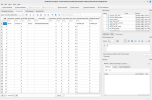
The admin password was held in the user_mana_info table :

1778496708593.png