Dahua DHI-NVR5464-4KS2 load balance

Miacomo

n3wb
Oct 9, 2022
26
7
Pennsylvania
I'm trying to use the two NIC ports as load balancing input for 46 cameras. There are 2 switches with the cameras split up 60/40 on them.

I have Network Mode set as "load balance" and the NIC MEMBER has NIC2 and NIC1 checked.

I can only get one port at a time working. If I plug one of either switch into either NIC port, the one bank works. Swap the 2 switches or NIC ports and it works.
If I connect to both NIC ports, only one bank will work.

Am I missing something here?
 
  • Like
Reactions: Flintstone61
u got a solution? I got issues with 25 cams at a NVR5xxx model. (over 4% network loss)
I wanted to use load balance, because I cant determine if the NVR is the problem or the switch.

did your 60/40 work? What bandwith you use per cam?
 
What type of load balancing do the Dahua NVRs expect? It could be expecting something like LACP link aggregation which you may not have setup?
 
And yes, what's your bandwidth per camera? 46 * 10Mbps is only 460Mbps, which is well within the capability of a single 1Gbit port.

What is the incoming capacity rating of your specific NVR?
 
Got 1000Mbits network, Gigabit Poe switch. Its the NVR5232-EI with 364Mbps. I got maybe 200 Mbps max load with my cams on peak. H265+ with 6000Kbits at 4k.

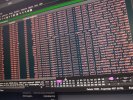
When I packet capture I got 4-9% loss+retransmission errors and dropped frames in my recordings, up to 30sec jumps.


I dont know what to do.
If I scale down to 1080p and 10 frames, the errors are below 1% and manageable. But I cant run 4k cams at 1080p....even at 5MP its too bad.

And yes, what's your bandwidth per camera? 46 * 10Mbps is only 460Mbps, which is well within the capability of a single 1Gbit port.

What is the incoming capacity rating of your specific NVR?
 

Attachments

  • 1779691840605280211995956732805.jpg
    1779691840605280211995956732805.jpg
    2.8 MB · Views: 2