Hello,
I bought a new house with security system already in it
The Dahua is connected to the 8 cameras with a cable
long story short it used to be connected via ethernet but it's not anymore possible as the internet provider changed the ONT and the ONT has now only one port (used to connnect the rj45 connected to the main router which goes to an other room)
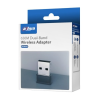
The simpliest for me would be to connect the the Dahua DH-XVR5108HS-I2 DVR to my home wifi (if possible the guest network), is it possible if I buy a wifi dongle or a special router which would work as a client and "convert" the wifi to usb or ethernet ?
The other solution proposed by the internet provider is to add a switch after the ONT device and connect the DVR to the switch, they mention they can give a dedicated IP for the dvr but is it safe as the dvr wont come after the router ?
I bought a new house with security system already in it
The Dahua is connected to the 8 cameras with a cable
long story short it used to be connected via ethernet but it's not anymore possible as the internet provider changed the ONT and the ONT has now only one port (used to connnect the rj45 connected to the main router which goes to an other room)
The simpliest for me would be to connect the the Dahua DH-XVR5108HS-I2 DVR to my home wifi (if possible the guest network), is it possible if I buy a wifi dongle or a special router which would work as a client and "convert" the wifi to usb or ethernet ?
The other solution proposed by the internet provider is to add a switch after the ONT device and connect the DVR to the switch, they mention they can give a dedicated IP for the dvr but is it safe as the dvr wont come after the router ?
Last edited: