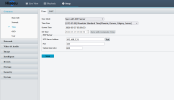
OK I have the correct date on the bottom of the cam, but the cam has its own date and time also which is off, I cant figure out how to have B.I. fix it.
Its a HISEEU cam
Thanx
BI cannot fix what a camera is sending to it. You either have the camera provide the date/time or you turn off the date/time in the camera and let BI provide it.
I have NetTime running on my BI server and all cams synced to it. Then I have the camera's time/date displayed and BI's time/date overlay disabled. More info below:
This is a great way to sync all your cameras. If cameras are not synced correctly they could be thrown out as evidence.
This will not adjust for Daylight Savings - you must enter DST Start and End time in your Camera.
I want to thank @mikeynags for all the information to get this up and running for me. I hope this step by step helps others.
Step 2:
After installing NetTime You want to make sure you go to "settings" in the NetTime program and then Check
"Allow Other Computers to sync to this...