I have the Z12E for a few months now. In talking around here, I came to know that you can actually set manual focus associated with a camera profile (i.e., for Day or Night). So far so good.
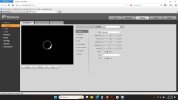
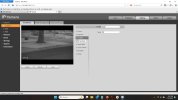
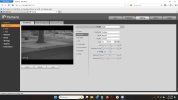
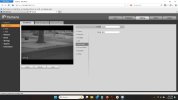
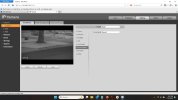
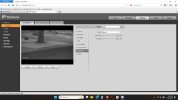
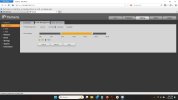
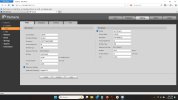
The problem is that you can only set manual focus on the Live page, not on the Camera page on WebGui 5. As a result, if you want to check or set the manual focus, you have to switch between those pages, and every time I switch to Live, the profile goes back to the default scheduled profile for that time of day and it's not possible to keep the camera profile you are trying to set. I also noticed in one occasion that Live goes back to the default scheduled profile, but in the process the manual focus number remains stuck to the profile I was editing on the Camera page (i.e., 670). Refreshing the Live page then shows the correct focus number of the current profile (i.e., 640). So, there are these nitty gritty bugs that make this experience more annoying. I think the earlier version of the GUI had the manual focus directly on the camera profile page.
My question is: how can you set and save the manual focus for a specific profile on the Camera page?
Bonus question if anybody has a Tendelux IR illuminator: Do you have problem's with the Tendelux turning off too early in the morning, did you solve that in some way, i.e., by taping the photosensor?
The problem is that you can only set manual focus on the Live page, not on the Camera page on WebGui 5. As a result, if you want to check or set the manual focus, you have to switch between those pages, and every time I switch to Live, the profile goes back to the default scheduled profile for that time of day and it's not possible to keep the camera profile you are trying to set. I also noticed in one occasion that Live goes back to the default scheduled profile, but in the process the manual focus number remains stuck to the profile I was editing on the Camera page (i.e., 670). Refreshing the Live page then shows the correct focus number of the current profile (i.e., 640). So, there are these nitty gritty bugs that make this experience more annoying. I think the earlier version of the GUI had the manual focus directly on the camera profile page.
My question is: how can you set and save the manual focus for a specific profile on the Camera page?
Bonus question if anybody has a Tendelux IR illuminator: Do you have problem's with the Tendelux turning off too early in the morning, did you solve that in some way, i.e., by taping the photosensor?