Camera Freezes

I have a Tapo C12 camera that would disappear randomly. I was using the provided USB power adapter.
Suspecting it was not up to the task, I swapped it with a known working phone charger USB power adapter.
The problem went away.
Sometimes these supplied power adapters are inadequate or very glitchy.
If the Wired camera has the ability to be powered via POE, that would be a more reliable power source than a 12VDC cord plugged into a wall.
The Zosi C296 5MP says it has POE capability.
Is the switch you purchased a POE switch? If so try running the camera without the 12VDC wall plug.
@wittaj linked you to a couple Switches. I would get this one that he linked in a previous post. And power the camera thru its POE port.
It gets more power thru POE than a 12VDC wall plug.
 
Last edited:
As an Amazon Associate IPCamTalk earns from qualifying purchases.
  • Like
Reactions: looney2ns
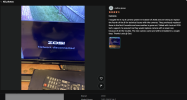
I have a Zosi C296 5MP wired camera that works fine except it sometimes freezes on movement. Can anyone tell me if there is any setting in Blue Iris that can fix this issue. I have three other cameras that don't do this. Attached is a video showing what it does. Thank you for any advice.
on the product description forthis Camera they emphasize this upfront:
1766330814311.png
Also 1 reviewer bought 8 of these and 4 have failed or have issues.
1766330869196.png
 
  • Like
Reactions: looney2ns
Am I the only one confused here?

The Zosi C296 is a wireless camera according to the link you posted and you said it's not POE ...no Ethernet port and used a 12VDC wall wart.

On Monday Dec. 15th you stated "Well I haven't got my tester yet but I did switch the camera over to wireless two days ago and it has not gone dead. It does lose connection sometimes for a minute or so I'm sure because of it being wireless."

On Tuesday Dec. 16th you stated: "Ok the cable tested good so I don't know what is wrong. It does better wireless than wired except for the video freezing. Could the ethernet cable next to the power cable for only about three feet be a problem? It is unshielded cable. But it works good all night."

Are you now talking about a DIFFERENT camera's video freezing?
 
Last edited:
As an Amazon Associate IPCamTalk earns from qualifying purchases.
Unfortunately Zosi ( like many others) want to trap unsuspecting consumers into "only works with" dialogues from what I'm seeing around the Web. Packaged with thier NVR, their App and thier cameras. It's a familiar marketing design to hold onto a customer.
So once you start learning about features and functions of higher performing Cameras, Now your "locked in" and the decision becomes throwing away the money spent on the "Zosi-verse" and buying more capable more diverse products.
Unfortunately, many here have been through this learning process.
They may have some redeeming qualities for the entry level user as far as alerts to mobile phones, ease of setup etc... and it may serve basic needs, but once you find out whats not there, you may feel cheated.
 
Am I the only one confused here?

The Zosi C296 is a wireless camera according to the link you posted and you said it's not POE ...no Ethernet port and used a 12VDC wall wart.

On Monday Dec. 15th you stated "Well I haven't got my tester yet but I did switch the camera over to wireless two days ago and it has not gone dead. It does lose connection sometimes for a minute or so I'm sure because of it being wireless."

On Tuesday Dec. 16th you stated: "Ok the cable tested good so I don't know what is wrong. It does better wireless than wired except for the video freezing. Could the ethernet cable next to the power cable for only about three feet be a problem? It is unshielded cable. But it works good all night."

Are you now talking about a DIFFERENT camera's video freezing?
It is the same camera, it can run wireless or wired, what is so confusing about that. I certainly do not remember ever saying it had no ethernet port. I might have said it's not POE but you do know they do make cameras with ethernet ports that are not POE. You connect it wired (ethernet) to router to get it connected to your router via the phone app. Then you can configure it via the phone app to wireless. The camera still has the ethernet cable connected to it so it can be wired or wireless.
 
I have a Tapo C12 camera that would disappear randomly. I was using the provided USB power adapter.
Suspecting it was not up to the task, I swapped it with a known working phone charger USB power adapter.
The problem went away.
Sometimes these supplied power adapters are inadequate or very glitchy.
If the Wired camera has the ability to be powered via POE, that would be a more reliable power source than a 12VDC cord plugged into a wall.
The Zosi C296 5MP says it has POE capability.
Is the switch you purchased a POE switch? If so try running the camera without the 12VDC wall plug.
@wittaj linked you to a couple Switches. I would get this one that he linked in a previous post. And power the camera thru its POE port.
It gets more power thru POE than a 12VDC wall plug.
Mine is not POE. I have switched from a 1amp to a 2amp power supply but made no difference. Thanks for the info though.
 
As an Amazon Associate IPCamTalk earns from qualifying purchases.
:)
 
No comment.....it's me.
Tony R, I apologize for that (what is so confusing about that) remark, it's not been a good day for me. Just to be clear it is the same camera and for now at least seems to be working ok since I connected it to the ethernet switch. Again my apologizes.
 
  • Like
Reactions: TonyR
Tony R, I apologize for that (what is so confusing about that) remark, it's not been a good day for me. Just to be clear it is the same camera and for now at least seems to be working ok since I connected it to the ethernet switch. Again my apologizes.
No apology necessary. I won't bore you with the details but I understand....2025 has been a VERY bad year for me and my wife as well.
Merry Christmas!