Blue Iris Updates (64 bit)

Blue Iris Updates - Official Thread 5.9.9.98

In the preview post explaining what is intended for V6, I saw "A replacement for external AI processing". Does that mean NOT using CPAI or DeepStack etc. V6 going to have it's own built-in AI? Just curious.
I guess we will all have to wait and see if that feature gets added once BI V6 gets released!
 
AI is the new buzz word for everything now a days. AI Motherboard? Whatha?
 
10pm installed v6 on same computer thats running v5 with 21 cameras.Thought "what the heck" lets try it. Started up fine, watched it for 30 mins or so working ok. Went to bed then, Got up at 2am, BI was locked up on the computer none of the cameras working, couldnt even shut it down and had to do a control/alt/del to close it out. Went back to v5 since I don't want to be a beta tester till its stable.
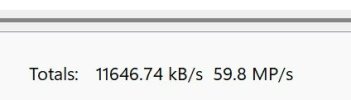
I will keep an eye out for this... Just put 6 on my pc and the only change I notice is that my CPU usage peggs much higher especially when watching clips in UI3. I7-9700K, on v5 0.73 cpu never went above 40 percent even with multiple people viewing UI3. Hope it is a bug and will be fixed or optimised.
 
  • Like
Reactions: Skinny1 and David L
I will keep an eye out for this... Just put 6 on my pc and the only change I notice is that my CPU usage peggs much higher especially when watching clips in UI3. I7-9700K, on v5 0.73 cpu never went above 40 percent even with multiple people viewing UI3. Hope it is a bug and will be fixed or optimised.
I'm not seeing this and I am running AI on about all my cams using a I7-6700k @ 15-20% cpu

Screenshot 2025-12-05 214557.jpg
 
Hello all, my BI updated to 5.9.9.98 last night, but it now hangs at the loading screen. I’ve rebooted and the problem persists, rolling back to 5.9.9.73 has fixed the issue.

Any idea what could be causing this?

Thanks
 
Hello all, my BI updated to 5.9.9.98 last night, but it now hangs at the loading screen. I’ve rebooted and the problem persists, rolling back to 5.9.9.73 has fixed the issue.

Any idea what could be causing this?

Thanks
Have you turned off auto updates good practice is to not have this enabled! sometimes a bad camera config can cause issues, disable all the cameras before you try updating again, then enable them one at a time, I am not sure if 5.9.9.98 is a good version, if you have a valid support agreement you might want to consider moving to the 6.0.0.0 version which you would have to download from the BI website as it will not come via auto updates on the 5x versions!
 
  • Like
Reactions: David L
Have you turned off auto updates good practice is to not have this enabled! sometimes a bad camera config can cause issues, disable all the cameras before you try updating again, then enable them one at a time, I am not sure if 5.9.9.98 is a good version, if you have a valid support agreement you might want to consider moving to the 6.0.0.0 version which you would have to download from the BI website as it will not come via auto updates on the 5x versions!
Do you or anyone else know if you upgrade to 6, can you roll back to 5?
 
Have you turned off auto updates good practice is to not have this enabled! sometimes a bad camera config can cause issues, disable all the cameras before you try updating again, then enable them one at a time, I am not sure if 5.9.9.98 is a good version, if you have a valid support agreement you might want to consider moving to the 6.0.0.0 version which you would have to download from the BI website as it will not come via auto updates on the 5x versions!
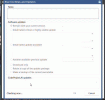
Yes I normally have to set to only update to the stable releases, however when I rolled back to 5.9.9.73, I set it to keep this releasse. I then open the updates, you can see (gif/mp4 attached) BI automatically changes the setting from "Remain on this version" to "Install the latest critical".
I have a valid support plan, but didn''t want to attempt the v6 upgrade just yet.
Cheers
 

Attachments

  • Like
Reactions: David L