
BI won't start after latest update!
- Thread starter PRWL
- Start date

You are using an out of date browser. It may not display this or other websites correctly.
You should upgrade or use an alternative browser.
You should upgrade or use an alternative browser.



Bruce_H
Getting comfortable
Do you have the user and password set correctly for the service, it must be a local account with administrator privileges? Is this on Windows 11, are you using a Microsoft PIN to login to your PC if so then that is possibly your problem! What do you mean by your infrastructure, are you referring to your cameras ???
Bruce_H
Getting comfortable
Did you reconfigure the new BI service with the user and password, it needs to be setup again after the upgrade to BI 6, the old service for BI 5 would have been removed; sorry for the possibly redundant questions!
The Automation Guy
Known around here
Yes, I did.You said you tried restarting the BI service but I have to ask the first question in IT support..... Did you try restarting the computer?
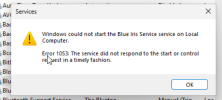
I'm not sure how I can do that without access to BI, apart from what I've done in services.msc. I set the account password again and even tried with the local system account. Starting the service directly gives the Error 1053, the same as what I have shared a screenshot of before. Thanks!Did you reconfigure the new BI service with the user and password, it needs to be setup again after the upgrade to BI 6, the old service for BI 5 would have been removed; sorry for the possibly redundant questions!

I uploaded the update installer for 6.0.0.0 here so you can try downgrading.

If you are familiar with the registry, just go here and change the value to 0 . Then stop the blueiris service. Then start BI without using it as a service. I would then retry to select it to run as a service and it will prompt you for the credentials. If it does not accept, then you got the wrong password.I'm not sure how I can do that without access to BI, apart from what I've done in services.msc. I set the account password again and even tried with the local system account. Starting the service directly gives the Error 1053, the same as what I have shared a screenshot of before. Thanks!
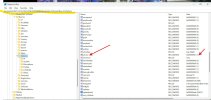
Still, it won't run even after doing this.If you are familiar with the registry, just go here and change the value to 0 . Then stop the blueiris service. Then start BI without using it as a service. I would then retry to select it to run as a service and it will prompt you for the credentials. If it does not accept, then you got the wrong password.
View attachment 234287
So what error does it give you now?Still, it won't run even after doing this.
What error do you get when you launch Blueiris.exe (e.g. from the shortcut on your desktop)?
Did you do a fresh install to get BI 6?
Did 6.0.0.0 work? If 6.0.0.0 worked, you should be able to download the update file for it which I shared a few posts up from here, run that, and then you'll have 6.0.0.0 again. You can try to update again later.
What you're supposed to do when Blue Iris is crashing is open Event Viewer, find the Blueiris.exe error logs, and share then with Blue Iris support.
It also should not hurt to install the latest visual c++ redistributable for your system architecture (probably X64) from here although if you did the BI 6 full installation, that would have already come with it.
Did you do a fresh install to get BI 6?
Did 6.0.0.0 work? If 6.0.0.0 worked, you should be able to download the update file for it which I shared a few posts up from here, run that, and then you'll have 6.0.0.0 again. You can try to update again later.
What you're supposed to do when Blue Iris is crashing is open Event Viewer, find the Blueiris.exe error logs, and share then with Blue Iris support.
It also should not hurt to install the latest visual c++ redistributable for your system architecture (probably X64) from here although if you did the BI 6 full installation, that would have already come with it.
It just won't start, but downgrading it with @bp2008's link worked for me!So what error does it give you now?
Downgrading it worked for me, thanks a lot for the link and the help!What error do you get when you launch Blueiris.exe (e.g. from the shortcut on your desktop)?
Did you do a fresh install to get BI 6?
Did 6.0.0.0 work? If 6.0.0.0 worked, you should be able to download the update file for it which I shared a few posts up from here, run that, and then you'll have 6.0.0.0 again. You can try to update again later.
What you're supposed to do when Blue Iris is crashing is open Event Viewer, find the Blueiris.exe error logs, and share then with Blue Iris support.
It also should not hurt to install the latest visual c++ redistributable for your system architecture (probably X64) from here although if you did the BI 6 full installation, that would have already come with it.
Installing the latest redist resolves the issue, thank you!What error do you get when you launch Blueiris.exe (e.g. from the shortcut on your desktop)?
Did you do a fresh install to get BI 6?
Did 6.0.0.0 work? If 6.0.0.0 worked, you should be able to download the update file for it which I shared a few posts up from here, run that, and then you'll have 6.0.0.0 again. You can try to update again later.
What you're supposed to do when Blue Iris is crashing is open Event Viewer, find the Blueiris.exe error logs, and share then with Blue Iris support.
It also should not hurt to install the latest visual c++ redistributable for your system architecture (probably X64) from here although if you did the BI 6 full installation, that would have already come with it.
