

BI behing nginx and proxy_pass problem 502 Bad Gateway

alitick

n3wb
Feb 28, 2026
13
1
Prague
Hi all,

I have Blue Iris running behind Nginx in a private LAN.

Here is my current Nginx configuration (Ubuntu 24.04 lts):

NGINX:
server {
    listen 80;
    server_name example.com;
    return 301 https://$host$request_uri;
}

server {
    listen 443 ssl http2;
    server_name example.com;

    ssl_certificate     /etc/letsencrypt/live/example.com/fullchain.pem;
    ssl_certificate_key /etc/letsencrypt/live/example.com/privkey.pem;

    location / {
        proxy_pass http://10.77.50.10:81;
    }
}


Version 6.0.3.8 – works fine through the proxy
Version 6.0.4.4 – returns 502 Bad Gateway with the same setup
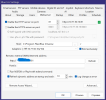
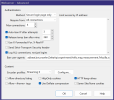
bi0.png
bi1.png


A logged-in user sees endless errors in UI3:
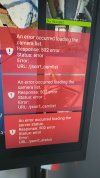
2304-4096-max.jpg

Other:


Additional details:
BI is on a Windows 11 machine at 10.77.50.10
Nginx is on a Ubuntu server at 10.77.50.25
Windows Firewall has an allow rule for blueiris.exe on port 81
The network uses a load balancer with multiple WAN IPs, which periodically change

Has anyone experienced similar issues with BI behind a reverse proxy, especially in a setup with changing external IPs?

Is there a known workaround or setting to fix this intermittent 502?

Thanks in advance!


P.S.
I wasted a lot of time, rolled back from the latest version to 6.0.2.10 and everything worked perfectly.
 
Last edited:
Ive had alot of this same type of thing going on too. UI3 with red boxes on the right filled with error messages, however nothing in any logs.. Been keeping my eye on this forum and it appears to be fairly widespread, so I have been patient.. Reverse proxy not working, complete reinstall, now I have an issue where UI3 gets stuck in a loop loading camera list no matter which version of BI or machine i try from. But it even happens via a direct LAN connection avoiding any proxy. Something is wonked up and I cant figure it out.. Ive even tried going all the way back to a version 5 BI. Stuck. No cams will load via UI3.
 
For now, I'm sticking with version 6.0.2.10. It works great, and there are no issues with it.
I'll try upgrading to version 6.0.4.6 in a few days. I'll definitely report back with the results.
 
Posted this in my pother thread, but its relevant here too. I now have 6.0.2.10 installed and I figured out the UI3 issues... Reverse proxy is working again.

In case anyone else should come across this, ill post an update. So somewhere along the way, my cameras lost their membership to the groups I had set up. So thats why the UI3 errors, its trying to load groups, but there weren't any.. No cameras had any groups listed. All my users had groups to access, but those groups did not exist any longer. Very strange but somewhere along the way in my updating and downgrading etc, Blue Iris lost its groups. So I recreated the groups added cameras and now I am getting somewhere. Head scratcher..

So then I can still not get any cameras to load, so I deleted and recreated my users, added my re newly created groups and voila.. Everything is working again. Now to just get out of Demo/Evaluation Mode...
 
  • Like
Reactions: Techie007L
I've run every version in the 6.0.4.x series so far and had no trouble. I also use nginx for a reverse proxy currently.

This probably is not worth much, but I would configure Windows firewall with a simple TCP 81 rule that is not specific to blueiris.exe. It is just going to behave a bit more predictably/transparently in my opinion. I don't trust process-linked firewall rules or rules that rely on the network type being set to Private when Windows is notorious for changing your network to Public after a Windows update.

You're not having a Windows firewall issue though. If it was a firewall issue then you wouldn't be able to get connected at all and the error from the proxy server would be HTTP 504 (gateway timeout) instead of HTTP 502 (bad gateway). HTTP 502 tends to mean your proxy server reached something that is not speaking the HTTP protocol, at least not correctly. Look for possible IP address conflicts on your network, and run Resource Monitor, go to the Network tab, and sort Listening Ports by port number. See if anything else is trying to listen on port 81 TCP (it might help to close/kill Blue Iris so you can definitively see if something else starts listening on port 81).