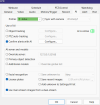
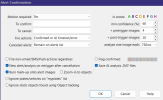
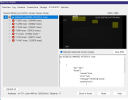
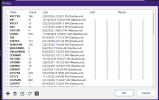
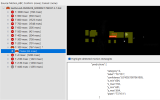
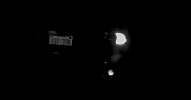
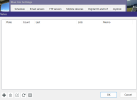
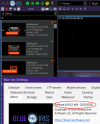
I'm not able to get my LRP to trigger alerts with BI 6. I've attached images of the AI Inspector and the settings for the camera. Any help is much appreciated.
lpr.20260226_040000Z.1473939.3-1.dat
[
{
"api":"alpr",
"found":{
"success":true,
"error":null,
"message":"Nothing found",
"predictions":[
]
,
"count":0,
"moduleId":"plates.onnx",
"executionProvider":"ONNXRunTime: 1 (Intel(R) UHD Graphics 770)",
"analysisRoundTripMs":177}
}
]
lpr.20260226_040000Z.1473939.3-1.dat
[
{
"api":"alpr",
"found":{
"success":true,
"error":null,
"message":"Nothing found",
"predictions":[
]
,
"count":0,
"moduleId":"plates.onnx",
"executionProvider":"ONNXRunTime: 1 (Intel(R) UHD Graphics 770)",
"analysisRoundTripMs":177}
}
]