I am tinkering with an AXIS P3245LV --- The PC sees it.....I am in the cameras interface on the PC via blueIris....But the console wont see the camera.
Is there some magic incantation I am missing?
I have tried going Generic ONVIF, as well as the "AXIS P series"......and just cant get the stream to BI
What am I doing wrong?
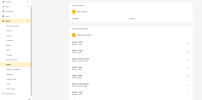
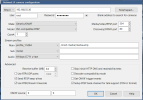
Screen grabs of the various settings I tried as well as the inspection results
To add the camera as generic onvif, you'll have to enable onvif within the web interface of AXIS P3245-LV by adding an account and giving it a user name and password before adding it in BlueIris.
Then I tinkered too far--- changed some setting in the advanced settings and now cant even get as far as I had after doing multiple factory resets.....
I am able to reset it, and then change the UN/PW as required.....and change the IP address to what it should be...but whatever setting I changed, and it would at least be accessible via the ip address thru BI.....but now I seem to have bricked it....
Ok, I was able to get the camera reset again and now it is again showing up in BI at the network configure link.....I set up a second admin account in the camera for onvif and now the camera is at least showing ONVIF when I "inspect"....but was still showing an "unauthorized-check user password" error...I did several "safe restarts" via the camera interface but no luck.....wengt back to trying the first ONVIF account again and this time it took......But still "no signal" within BI
I feel like I am close.....maybe?
Opening 192.168.55.30 port 80...
HTTP Get / request...
OK
ONVIF GetSystemDateAndTime
2025-11-27T07:02:09.000Z
Requesting device information...
Manufacturer: AXIS
Model: P3245-LV
FirmwareVersion: 10.4.0
GetCapabilities...
Querying services
Has Search services: /onvif/services
Has Imaging services: /onvif/services
Has media services: /onvif/services
Has RTP_RTSP_TCP, requesting profiles
profile token profile_1_h264
profile name profile_1 h264
profile source is 0
profile source config is 0
profile token profile_1_jpeg
profile name profile_1 jpeg
profile source is 0
profile source config is 0
requesting URI for profile profile_1_h264
RTSP URI: /onvif-media/media.amp?profile=profile_1_h264&sessiontimeout=60&streamtype=unicast
requesting URI for profile profile_1_jpeg
RTSP URI: /onvif-media/media.amp?profile=profile_1_jpeg&sessiontimeout=60&streamtype=unicast
Has Event services: /onvif/services
Has WSPullPointSupport
RelayOutputs: 1
RelayOutput: 1/Bistable/open
InputConnectors: 1
Has Device IO services: /onvif/services
AudioOutputs: 1
Done
SO these are the settings that "inspect" populates....I also tried changing the "onvif source" at the bottom to videosrc_cam0 for main and videosrc_cfg_cam0 since that is how my other cameras show up (not AXIS cams).....also tried changing the "main profile" to "/live/main" and "sub profile" to "/live/sub", for the same reason.
Does the "HTTP UNAUTHORIZED " message mean anything in this situation? When I go into teh camera software and turn off the "bonjour" and "upnp" options the "unauthorized" goes away but still have the "no signal" message
Yeah...about a dozen times....... its gotta be something stupid, but I just cant find it.
The camera is "found" in BI when I provide the IP ..... and the stream seems to be streaming given the data changes on the one screen -- given a low data rate --.....but the BI interface shows "no signal".
Does the "HTTP UNAUTHORIZED " message mean anything in this situation? When I go into teh camera software and turn off the "bonjour" and "upnp" options the "unauthorized" goes away but still have the "no signal" message
Yeah...about a dozen times....... its gotta be something stupid, but I just cant find it.
The camera is "found" in BI when I provide the IP ..... and the stream seems to be streaming given the data changes on the one screen -- given a low data rate --.....but the BI interface shows "no signal".
If all else fails and since you said in your post #9 that my suggested URL path works with VLC, under "Make" of "Generic/ONVIF" try setting the "model" in the drop-down to "VLC-compatible RTSP" as below:
If all else fails and since you said in your post #9 that my suggested URL path works with VLC, under "Make" of "Generic/ONVIF" try setting the "model" in the drop-down to "VLC-compatible RTSP" as below: