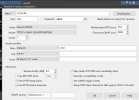
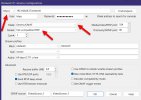
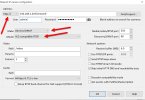
- May 11, 2018
- 7
- 1
No luck, I keep messing with the settings.
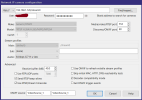
I wondered if anyone else had luck?
I wondered if anyone else had luck?

/ themselves so it is probably fine)Sorry, Yes I tried with both, I just removed it in this example when I continued to test it.Did you follow all the instructions they provided? The stream path in your screenshot does not even match what they said to use (although further down in their instructions they do omit the trailing/themselves so it is probably fine)


The official instructions from Wyze still point to the How to flash your Wyze Cam firmware manually page, which still says it requires an SD card:Just wanted to say they released this now for beta so you don't need to use a sdcard, etc to access the camera's to add rtsp support. Crazy enough I can load up it fine in VLC, but not blue iris 6.0.013 or whatever the new one was 2 days ago... Was hoping once went into normal beta it would work but nothing....
Did you find a way to install that does not require an SD card?It requires additional knowledge and devices, including a microSD card, microSD card adapter, and a computer with an SD card slot.

I now have 3 of these working at 2 different locations.when audio is enabled, Blue Iris sets up both tracks and the camera streams fine. When audio is off, Blue Iris only sets up video — and this particular firmware refuses to send any media (video included) unless every track declared in the SDP gets set up. It's a real firmware compliance quirk (RTSP normally allows video-only setup), but it's completely avoidable.
Fix: in Blue Iris, open the camera's settings → Audio tab → enable audio