Accessing cams with BI on NVR POE ports

cutterman

Getting the hang of it
Jan 25, 2017
104
17
Started setting a new Hik system with 7716 NVR and Hik cameras. I have a POE switch so my original intention was to connect all the cams to the switch and then provision them in the Hik NVR. I also use BI so wanted to have the cam IP addresses on the same subnet. Turns out I couldn't figure out how to configure these cams on D1, D2, etc on the NVR. They show up but I couldn't configure them. Short on time and patience I just plugged them into the POE ports on the NVR.

My initial research suggests I can't access the cams to use in Blue Iris if they are behind the NVR POE ports. I did configure the virtual host so can open the cams web configurator.

2 questions- am I missing something- can I access the cams with BI? Is there a way to set up the NVR to use cams on the subnet and not connected to POE switch?

Thanks
 
If the cameras have the NVR PoE interface IP address (usually 192.168.254.1) set as the default gateway, and there is a static route set in your LAN gateway (presumably your router) that specifies the NVR lan interface IP address as the gateway for the 192.168.254.x address range, the cameras on the NVR PoE ports will be directly accessible at their native 192.168.254.x addresses.
 
I know I have Blue Iris at home, VPN tunnel to my work office.
At my work office, we have some Dahua IP cameras plugged into POE switch + Dahua NVR. These IP cameras feed both NVR + Blue Iris fine & dandy.
As for accessing cameras behind a NVR? Dunno's.
 
You can absolutely pull the video from an NVR into BI.

In BI, you select add camera and put the IP address of the NVR into the IP address location. Put in username and password and hit find/inspect and let BI do its thing.

Then on that same screen about halfway down is a pull down for Camera number and pick camera 1 and then hit ok. The camera should show up. Then add camera and the select copy and copy this camera and then change the number 1 to a 2 and then repeat for your cameras by selecting add camera and add IP address of NVR and selecting next camera number. So if you have 8 cameras on the NVR, you repeat this process 8 times in BI.

OR depending on your NVR, in BI it may populate all the cameras in the main and substream pulldown boxes and you just select a camera number and then add another camera and select the next pulldown.
 
Great replies- thank you.
I added a static route for 192.168.254.0/24 with the NVR as the gateway (192.168.2.10) and bingo- camera access. I expect I can just enter the camera's native IP when I set up BI.
 
Last edited:
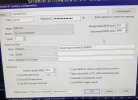
Follow up from my original post. Can't seem to get BI to see the camera stream. BI computer is 192.168.2.30, NVR 192.168.2.10, cameras 192.168.254.0/24 off NVR. Camera pages are reachable from BI computer. Inspect function pointing to NVR or cameras didn't work. Attached config screen from BI
 

Attachments

  • IMG_2491.JPG
    IMG_2491.JPG
    2 MB · Views: 5
Follow up from my original post. Can't seem to get BI to see the camera stream. BI computer is 192.168.2.30, NVR 192.168.2.10, cameras 192.168.254.0/24 off NVR. Camera pages are reachable from BI computer. Inspect function pointing to NVR or cameras didn't work. Attached config screen from BI
That's likely because in BI you have the camera's IP that is assigned by the NVR's private server. Instead put the NVR's LAN IP of 192.168.2.10 for ALL the cameras and the only difference between all the cameras in BI will be the "Cam#" selected in the drop-down menu located below the camera "make" and "model" drop-downs.
 
  • Like
Reactions: looney2ns
If the cameras have the NVR PoE interface IP address (usually 192.168.254.1) set as the default gateway, and there is a static route set in your LAN gateway (presumably your router) that specifies the NVR lan interface IP address as the gateway for the 192.168.254.x address range, the cameras on the NVR PoE ports will be directly accessible at their native 192.168.254.x addresses.
If I understand correctly, this will only if is your NVR acts as a router between it's LAN and it's POE ports. I have no idea if it will do this.
That's likely because in BI you have the camera's IP that is assigned by the NVR's private server. Instead put the NVR's LAN IP of 192.168.2.10 for ALL the cameras and the only difference between all the cameras in BI will be the "Cam#" selected in the drop-down menu located below the camera "make" and "model" drop-downs.
This is a good suggestion. I doubt it even depends on the the virtual host feature - it just pulls the streams from the NVR, not the cameras.

Another approach is to remember your NVR POE ports are basically just a built in switch - patch your BI box (2nd NIC maybe) into a spare POE port, configure the correct IP on that interface on BI machine, and access each camera with it's own IP.
 
This is a good suggestion. I doubt it even depends on the the virtual host feature - it just pulls the streams from the NVR, not the cameras.

Correct. It does not depend on the virtual host feature.

.

Another approach is to remember your NVR POE ports are basically just a built in switch - patch your BI box (2nd NIC maybe) into a spare POE port, configure the correct IP on that interface on BI machine, and access each camera with it's own IP.
Yes....IF the NVR has a spare POE port.
However, the NVR's virtual host feature isolates the cameras from the Internet just as well as a 2nd NIC in BI on a different subnet would. :cool:
 
If I understand correctly, this will only if is your NVR acts as a router between it's LAN and it's POE ports. I have no idea if it will do this.
Yes, that's correct.
On a Hikvision NVR with PoE ports, enabling virtual host activates the Linux kernel 'ip_forward' function (not to be confused with port forwarding) that routes packets between the configured network interfaces, in this case the LAN interface and the PoE interface.
 
Thanks for everyone's input. I figured out how to move the cameras off the NVR to the POE switch and give them all IP's in the same subnet. That solved the problem
 
Thanks for everyone's input. I figured out how to move the cameras off the NVR to the POE switch and give them all IP's in the same subnet. That solved the problem
Yes, that's actually the best all around solution, IMO, and usually the one I recommend first but since you asked in your OP ".....Is there a way to set up the NVR to use cams on the subnet and not connected to POE switch?" then I, as others as well, answered acccordingly. :cool:

The important thing is you're up and running!
 
  • Like
Reactions: looney2ns