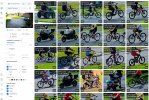
1/1.2" 8MP Varifocal

Stop a 0:15 and 0:18.

I would have already returned the G6 Pro.
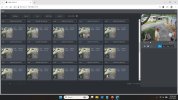
I would too, but the combination of the daytime video detail further out and the Protect features of finding clips easily, has me wanting to see the true capabilities of this camera at night. I could see using these as overview cameras to find incidents fast with the AI thumbnail features, then selecting the detail camera for up close identification purposes. I've already used that feature in my neighborhood, and it was really handy. There's no scrubbing video.
 
I would too, but the combination of the daytime video detail further out and the Protect features of finding clips easily, has me wanting to see the true capabilities of this camera at night. I could see using these as overview cameras to find incidents fast with the AI thumbnail features, then selecting the detail camera for up close identification purposes. I've already used that feature in my neighborhood, and it was really handy. There's no scrubbing video.

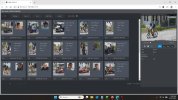
You know you can do that with a Dahua NVR and cameras …
 
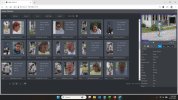
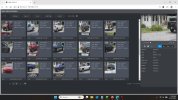
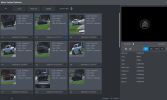
My 8 year old NVR can display Human, Vehicle, Non Motorized Vehicle, and Face.
I believe my new one I'm not yet using can also do Animals..


So yes, it does

human.jpg vehicle.jpg

nonMV.jpg
 
Camera OR NVR must have VMD capability.

It will also do plain vanilla IVS

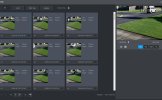
Camera lens makes a big difference. With wide view and targets 55ft away, thumbnails aren't as helpful.


IVS.jpg
 
Last edited:
  • Like
Reactions: JDreaming
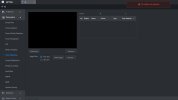
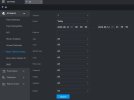
You want AI SEARCH above that. You're on parameters

If you had a Dahua camera with VMD enabled it would work. Your channel #1 does not

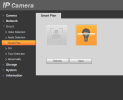
Newer NVRs have a separate Smart Plan for the NVR itself, allowing you to choose to to run AI By Recorder or AI by Camera
 
Yes, but again that because the camera Smart Plan is set to IVS.

If your camera had VMD, and its Smart Plan was enable for VMD, those functions would work. (Human, Motor, Non-Motor, Face Detect (not Recog, thats a separate Smart Plan)

Your NVR knows how to use and search VMD but the camera is not configured to feed it VMD data or doesnt have VMD
 
  • Like
Reactions: JDreaming
Yes, but again that because the camera Smart Plan is set to IVS.

If your camera had VMD, and its Smart Plan was enable for VMD, those functions would work. (Human, Motor, Non-Motor, Face Detect (not Recog, thats a separate Smart Plan)

Your NVR knows how to use and search VMD but the camera is not configured to feed it VMD data or doesnt have VMD
My cameras are older Dahuas that I'm looking to replace. They only have Smart Plan options for Face Detect and IVS. There is no VMD on these older cameras that I can find.
 
My cameras are older Dahuas that I'm looking to replace. They only have Smart Plan options for Face Detect and IVS. There is no VMD on these older cameras that I can find.

Yep probably so. VMD would be an obvious option if they had it
 
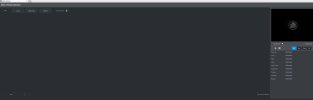
So, I added in the T54IR into my Dahua NVR, and I do get the VMD for it now. But, I don't see the option to Export from there like you show. I also don't see a way to see ALL VMD thumbnails for ALL cameras in one screen. It looks like you have to jump in and out of different screens for different types of VMD.

1781289545606.png