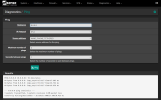
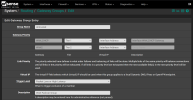
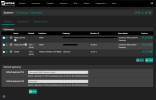
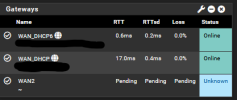
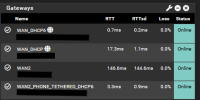
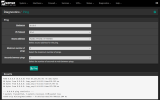
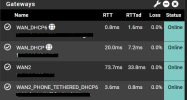
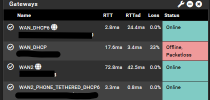
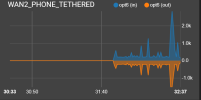
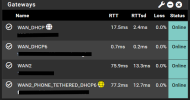
Thanks to @pete_c I found a solution to have a redundant (second) WAN for my pfSense router when the Internet goes out. What I have done in the past is put my phone in Hotspot mode and connect to it via my PC's WiFi NIC, which works, but only for my PC. I was looking at Ethernet Bridging but was not finding a solution to my pfSense box, it does not have a WiFi NIC.
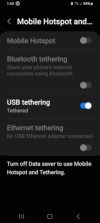
USB tethering, once turned On on my Android phone, you basically connect your phone to an USB port where pfSense sees it as an additional NIC/Interface, which you can setup a second WAN
For Android, I don't know how Apple does it, you turn it On in Developer options, that is if you don't have the option in Connections/Mobile Hotspot and Tethering/USB tethering
This is in Developer options:
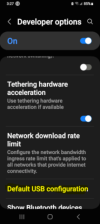
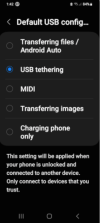
NOTE: If you connect your phone like me, to your PC to transfer files, be sure to default to Transferring files / Android Auto when not using Tethering
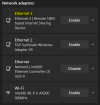
Once On, you use an USB (Data) cable to your device (router), try it on your PC first. You will see an additional NIC (network Connection) I tested mine by turning off my Ethernet port, and did a What is my IP and saw a T-Mobile IP, I did a speed test also.
Again, thank you @pete_c for your instructional on this subject.
USB tethering, once turned On on my Android phone, you basically connect your phone to an USB port where pfSense sees it as an additional NIC/Interface, which you can setup a second WAN
For Android, I don't know how Apple does it, you turn it On in Developer options, that is if you don't have the option in Connections/Mobile Hotspot and Tethering/USB tethering
This is in Developer options:
NOTE: If you connect your phone like me, to your PC to transfer files, be sure to default to Transferring files / Android Auto when not using Tethering
Once On, you use an USB (Data) cable to your device (router), try it on your PC first. You will see an additional NIC (network Connection) I tested mine by turning off my Ethernet port, and did a What is my IP and saw a T-Mobile IP, I did a speed test also.
Again, thank you @pete_c for your instructional on this subject.
Last edited: