IPC-Color4K-T and IPC-Color4K-T180 230227 Firmware

Regarding the firmware for the camera, I have two T180 cameras, and I am using the firmware Andy has posted on his site (2023-12-24) revision 7, but I see that there is a newer firmware for the camera listed on the Dahua site (2025-07-18) revision 25. Here are links to both:
Andy's site: Download Firmwares
Dahua's site: IPC-PDW5849-A180-E2-ASTE - Dahua International

Note, I updated my cameras to the newer Dahua firmware (2025-07-18) revision 25 just now, and they seem to be working fine.

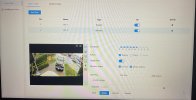
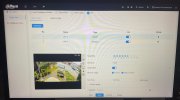
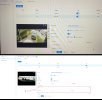
After a few factory resets, new IVS added, still getting the same results.

A real shame as the camera image quality is pretty good and hoping to use this at a few clients who need the 180° view.

Thanks for your help.
 
That is probably the problem.

Try Internet Explorer.

Yeah we know, but that was the browser the firmware is centered around.

It is still native to Win10 and 11

How to enable native Internet Explorer in Windows 10 and 11:
  • Open Notepad:
    • Copy then paste the single line of code below into Notepad:
    • CreateObject("InternetExplorer.Application").Visible=true
    • Save as OpenIE.vbs
  • Make sure the the file name ends in .vbs not .txt, If it ends in .txt you must rename to .vbs
  • Create a shortcut to the above file and double-click it anytime you want native Internet Explorer.
 
That is probably the problem.

Try Internet Explorer.

Yeah we know, but that was the browser the firmware is centered around.

It is still native to Win10 and 11

How to enable native Internet Explorer in Windows 10 and 11:
  • Open Notepad:
    • Copy then paste the single line of code below into Notepad:
    • CreateObject("InternetExplorer.Application").Visible=true
    • Save as OpenIE.vbs
  • Make sure the the file name ends in .vbs not .txt, If it ends in .txt you must rename to .vbs
  • Create a shortcut to the above file and double-click it anytime you want native Internet Explorer.

I will give this a go this afternoon.
 
  • Like
Reactions: JDreaming