Hi everyone,
I've been working on a Windows application that solves a problem I've encountered several times in POS and surveillance installations, and I'd appreciate feedback from installers, NVR users, and surveillance professionals.
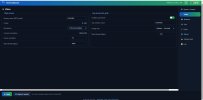
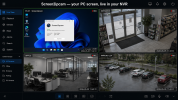
The application captures a Windows desktop (or POS terminal screen) and exposes it as a standard ONVIF / RTSP camera.
The goal is to allow a PC screen to be recorded by an NVR exactly like a regular IP camera, without requiring HDMI encoders, capture cards, or additional hardware.
Current features:
• ONVIF Profile S support
• Automatic ONVIF discovery by compatible NVRs
• RTSP H.264 streaming
• Main stream + Sub stream
• JPEG snapshot support
• Password-protected access
• Unique ONVIF identity per device
• Native C++ implementation
• No .NET or external runtime dependencies
• Compatible with Windows 7 SP1 through Windows 11 (x86 & x64)
Resource usage on my test systems:
• ~0% CPU when idle
• ~2% CPU while streaming
• ~70 MB RAM
My primary use case is POS systems where customers want the cashier screen recorded alongside their security cameras, but I can also see applications in training rooms, monitoring stations, and other environments where recording a desktop directly into an NVR is useful.
I'm interested in hearing from the community:
• Does this solve a problem you've encountered?
• Which NVR brands and models would you like to see tested?
• Would you consider using a software solution like this instead of HDMI encoders?
• Are there features you would consider essential before deployment?
If there is enough interest, I'd be happy to provide a beta version to community members for testing.
Thanks for your time and feedback.
I've been working on a Windows application that solves a problem I've encountered several times in POS and surveillance installations, and I'd appreciate feedback from installers, NVR users, and surveillance professionals.
The application captures a Windows desktop (or POS terminal screen) and exposes it as a standard ONVIF / RTSP camera.
The goal is to allow a PC screen to be recorded by an NVR exactly like a regular IP camera, without requiring HDMI encoders, capture cards, or additional hardware.
Current features:
• ONVIF Profile S support
• Automatic ONVIF discovery by compatible NVRs
• RTSP H.264 streaming
• Main stream + Sub stream
• JPEG snapshot support
• Password-protected access
• Unique ONVIF identity per device
• Native C++ implementation
• No .NET or external runtime dependencies
• Compatible with Windows 7 SP1 through Windows 11 (x86 & x64)
Resource usage on my test systems:
• ~0% CPU when idle
• ~2% CPU while streaming
• ~70 MB RAM
My primary use case is POS systems where customers want the cashier screen recorded alongside their security cameras, but I can also see applications in training rooms, monitoring stations, and other environments where recording a desktop directly into an NVR is useful.
I'm interested in hearing from the community:
• Does this solve a problem you've encountered?
• Which NVR brands and models would you like to see tested?
• Would you consider using a software solution like this instead of HDMI encoders?
• Are there features you would consider essential before deployment?
If there is enough interest, I'd be happy to provide a beta version to community members for testing.
Thanks for your time and feedback.
Attachments
Last edited: