Blue Iris as a service not automatically loading after Microsoft Update

Jul 26, 2023
5
3
Kentucky
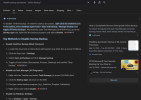
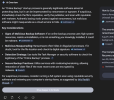
I am running Blue Iris on a Windows 11 Pro machine. I have paused updates so that they do not automatically run but still see this happening. The latest update that caused an issue is when it prompts if you want to turn on online backup. Until the prompt is answered, the Blue Iris service does not start. Does anyone have a fix to avoid this happening? This is causing an outage of recordings/alerts being sent.

All help is appreciated.
 
How do you have the BI service configured to start, is it using a user account (Administrator) or is it running as a system account, I can not say I have seen this problem on my 3 BI systems or read about anyone else experiencing this issue! It may be happening on my systems but I never noticed it, as only one of my system records continuously!
 
I've just went into BI Settings, Startup, and chose to run as a service. From there, you have to choose an account... I don't know of any other way to do it.
That fine then it is running as a service with your logon credentials which is how my systems are configured, presumably your logon has administrator privileges! Have you verified that the service is running when you are not logged onto the console, you can do this by using UI3 to see if you can see the cameras from another computer, which will verify that the service is running which I am sure that it will be!
 
It's running. I've had this system and another running 24x7 for three years now.. The only time I have any issues has been when an update occurs that requires input. It's as though the update service takes priority before all other services which can cause issues if you're not watch daily for this.
 
  • Like
Reactions: Flintstone61
It's running. I've had this system and another running 24x7 for three years now.. The only time I have any issues has been when an update occurs that requires input. It's as though the update service takes priority before all other services which can cause issues if you're not watch daily for this.
Well I have not encountered this, now I am going to have to start checking my systems, to see if there is any gaps in the monitoring! I did not think that any of the windows updates required user input, kind of defeats the purpose of automatic updates!
 
  • Like
Reactions: Flintstone61
The online backup was just part of one of the most recent updates Microsoft does this trying to convince everyone to start using OneDrive for backups....

I do have updates almost turned off, Microsoft has changed it to where you can just delay it for so many weeks. I'll look at the alternatives to Windows Update but wonder what they might introduce into a system...