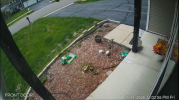
Tablet to View Camera

emersonvier

Getting the hang of it
Apr 29, 2017
124
39
IL
I’m going to install a tablet inside my home to view the camera that is installed at the front door.

I don’t need two-way audio, only video. I’d like something that, once configured, is easy to use — just turn it on and the image would already be there.

Could you give me some tips?

What do you recommend for installing indoors to view the camera at the front door?

Actual camera: IPC-HDW4433C-A
----
Some update here

 
Last edited:
I want to avoid being one of those people that just suggest a completely different solution

However, I also wanted what you wanted and struggled to find something that really "just worked" and in the end, I got Frigate setup with near-instant critical alerts for action at the front door, and that kind of nixed the need for the tablet
 
  • Like
Reactions: emersonvier
I got Frigate setup with near-instant critical alerts for action at the front door, and that kind of nixed the need for the tablet
Thank you for that, I really want something that alway on so see outside before open the door.
 
I also use Frigate added to Homeassistant OS. I connected a speaker I can hear easily. If someone drives into my driveway, cam see car and honks horn on speaker, walks near door, speaker plays a doorbell chime, camera sees a dog...yep speaker barks. Also plays siren with a tornado warning issued.
 
  • Like
Reactions: emersonvier
An Amazon fire tablet in the size of your choice works fine.
If I hear something from outside, I want to glance over and see it in real time.
I've been using two old Fire Tablets for 6-7 yrs now to view cams, they run 24/7.
How do you connect your tablet to camera? Blue Iris? Or are using other app.
 
Try this URL:

http://BI-Server-IP:BI-Server-Port/ui3.htm?cam=CameraShortName

More UI3 Help:

Thank you for the information

I am using the Fire HD 10 (7th generation) with Fully Kiosk

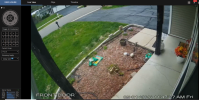
So using , but it is changed to , I can see the difference is "t=live" is it a problem?

Update here on URL


1777658675290.png
 

Attachments

  • 1777657761577.png
    1777657761577.png
    2 MB · Views: 8
Last edited:
  • Like
Reactions: TonyR
@emersonvier All the "t=" does it tell it what tab to open on the left sidebar (e.g. live to show PTZ and presets, or clips to show your clip list), so feel free to omit. Add "&m=1" to the URL and the left sidebar as well as the top bar will be hidden. That said, hiding the left sidebar isn't really going to gain you anything given that your screen is wider than your camera. For an unattended kiosk, you'll may also want to add "&timeout=0" to keep the session from ending after 20-60 minutes (or being dependent on a cookie on your device).
 
  • Like
Reactions: emersonvier
@emersonvier All the "t=" does it tell it what tab to open on the left sidebar (e.g. live to show PTZ and presets, or clips to show your clip list), so feel free to omit. Add "&m=1" to the URL and the left sidebar as well as the top bar will be hidden. That said, hiding the left sidebar isn't really going to gain you anything given that your screen is wider than your camera. For an unattended kiosk, you'll may also want to add "&timeout=0" to keep the session from ending after 20-60 minutes (or being dependent on a cookie on your device).
 
@ClerkMaxwell
I was replying to your issue when your post disappeared...did you resolve it?
 
Thank you everyone for the hep me here, so I think the software part are solved :)

So, what is you solution to mount/install on wall and power the tablet.