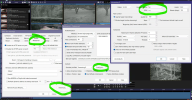
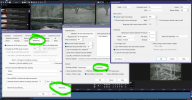
Everything seems to be working properly but I am getting this message. I have no idea what this means or how to fix this? Any help would be appreciated
set up failed: 483 for 'recording 0'
- Thread starter Boydellis
- Start date
You are using an out of date browser. It may not display this or other websites correctly.
You should upgrade or use an alternative browser.
You should upgrade or use an alternative browser.

SouthernYankee
IPCT Contributor
Turn off hardware acceleration
A screen shot of the complete BI PC window would be helpful.
What are you trying to do ?
IS BI recording cameras and displaying video ?
Can you change to different tabs and views in BI ?
What is your hardware configuration ?
CPU ?
Memory ?
Disks ?
Video card or Intel ?
Are you recording h.264 or h.265 ?
A screen shot of the complete BI PC window would be helpful.
What are you trying to do ?
IS BI recording cameras and displaying video ?
Can you change to different tabs and views in BI ?
What is your hardware configuration ?
CPU ?
Memory ?
Disks ?
Video card or Intel ?
Are you recording h.264 or h.265 ?
Last edited:
BOYD
n3wb
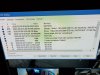
I have a i7 9700 16 g ram 3.60 GHZ with a geforce gtx card. I'm not really sure If this is doing the encoding for the cameras or not, but there is a hashtag next to the cameras. So something is decoding.
Attachments
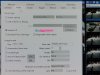
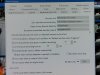
BOYD
n3wb
BOYD
n3wb
SouthernYankee
IPCT Contributor
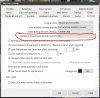
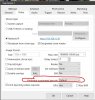
The problem is with using the geforce GTX card or its driver. First turn off hardware acceleration using the NVIDIA, the error will stop. A screen shot of the Camera video tab, configure button result
Look at this post.
 ipcamtalk.com
Look at this post.
nvdec setup failed 483 for hevc
nvdec setup failed 483 for hevc error in logs.. dell i7 6700 36tb raid 4 bay qnap nvidia nvs 510 windows 10 not open to the internet.. 13 cameras all poe new system running nvidia nvs 510 updated drivers etc. using nvidia cuda in the cameras menu and each camera hardware accelerated decode...
BOYD
n3wb
SouthernYankee
IPCT Contributor
BOYD
n3wb
I had the same error messages, it turned out that, while hardware acceleration was working for the cameras, it did not work for the web streaming. I had to turn it off on the streaming profile.

EvanVanVan
Pulling my weight
I had the same error messages, it turned out that, while hardware acceleration was working for the cameras, it did not work for the web streaming. I had to turn it off on the streaming profile.
Bumping this super old thread with a little more information because I was getting this error after updating to BI 6 and couldn't figure out where this was...
Finally found it in BI Settings > Web Server > Advanced > Encoder Profiles: Streaming 0 > Configure > Hardware AssistError: HW encode - h264_qsv setup failed: 483 for 'streaming 0' check hardware compatibility
edit: I think this has always been an issue for me I just never knew where to find it.
Last edited:

IAmATeaf
Known around here
I've also been tryng
I've also been trying to battle this same error: h264_qsv setup failed: 483 for 'streaming 0' check hardware compatibility.
I too had a look but couldn't find this setting within Web Streaming, so many thanks, here's hoping it get rid of this message
Bumping this super old thread with a little more information because I was getting this error after updating to BI 6 and couldn't figure out where this was...
Finally found it in BI Settings > Web Server > Advanced > Encoder Profiles: Streaming 0 > Configure > Hardware Assist
edit: I think this has always been an issue for me I just never knew where to find it.
I've also been trying to battle this same error: h264_qsv setup failed: 483 for 'streaming 0' check hardware compatibility.
I too had a look but couldn't find this setting within Web Streaming, so many thanks, here's hoping it get rid of this message
EvanVanVan
Pulling my weight
Just to clarify, it's in the full Blue Iris application settings under the web server tab, not the UI3 settings!I've also been tryng
I've also been trying to battle this same error: h264_qsv setup failed: 483 for 'streaming 0' check hardware compatibility.
I too had a look but couldn't find this setting within Web Streaming, so many thanks, here's hoping it get rid of this message
EvanVanVan
Pulling my weight
Lol now I'm at a computer and can do this easier... good luck!I've also been trying to battle this same error: h264_qsv setup failed: 483 for 'streaming 0' check hardware compatibility.
I too had a look but couldn't find this setting within Web Streaming, so many thanks, here's hoping it get rid of this message