

Hey guys,
I have strange database issue that just happened.
The BI version is 5.9.9.67. The server is fast Windows 10 Pro.
Here is how I store the footage. D drive fast SSD (local system drive) for the new currently written footage, then it moves to the NAS and after that when it hits the quota, it gets deleted.
The database is also in an SSD C drive.
It has been working for years. I noticed that after the last few power outages it started to lose the NAS footage as it was being empty, I had to repair the database from status window, and it TOOK time but eventually worked. This time, same thing but BI won’t scan the NAS and indexing goes relatively quickly. As the result I don’t have Stored display (from the NAS).
I verified that NAS is fully accessible from Windows itself and/or network.
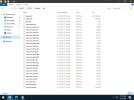
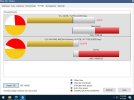
Here is what BI db folder looks like and BI storage view windows:
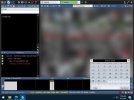
BI console, empty list:
I have strange database issue that just happened.
The BI version is 5.9.9.67. The server is fast Windows 10 Pro.
Here is how I store the footage. D drive fast SSD (local system drive) for the new currently written footage, then it moves to the NAS and after that when it hits the quota, it gets deleted.
The database is also in an SSD C drive.
It has been working for years. I noticed that after the last few power outages it started to lose the NAS footage as it was being empty, I had to repair the database from status window, and it TOOK time but eventually worked. This time, same thing but BI won’t scan the NAS and indexing goes relatively quickly. As the result I don’t have Stored display (from the NAS).
I verified that NAS is fully accessible from Windows itself and/or network.
Here is what BI db folder looks like and BI storage view windows:
BI console, empty list:
Last edited:


