
I've looked online and searched, but I can't seem to find setting that mirror the options I have in the camera settings. I've set up the EmpireTech Z12E and the firmware is up to date. Seems like what everyone shows to change, I don't see in my various settings so I don't know if it's related to firmware level. I'm ok with setting up basic cameras, but when it gets deep into the settings, I get a little lost. If someone could assist me with the changes needed, I would appreciate it.
Looking for help with LPR settings on EmpireTech IPC-B52IR-Z12E-S2
- Thread starter mm5300
- Start date
You are using an out of date browser. It may not display this or other websites correctly.
You should upgrade or use an alternative browser.
You should upgrade or use an alternative browser.


I changed the shutter/exposure to 1/2000. It looks like I've been getting snapshots of vehicles. I'm guessing it's normal to get two pics of each vehicle. One seems further out giving vehicle color and the other is more honed in on the vehicle. I do have a couple problems that I noticed. The picture of the car shows the plate fairly blurry. Some can be made out but others can't. Also, I have no idea how it happened, but I lost the live feed on the browser, unless I open it full screen. It shows up fine on my cam app, but not on the browser.

It sounds like oyu are using an NVR interface
As mentioned, you MUST login to the camera UI itself to make setting adjustments.
Anything else is a waste of time
Once you do that, the MANY posts about settings will make more sense
As mentioned, you MUST login to the camera UI itself to make setting adjustments.
Anything else is a waste of time
Once you do that, the MANY posts about settings will make more sense
Then show your settings
-------------
Every scene will be different, its takes time and trial and error. And reading posts in the LPR forum
Here's some, they may get you close, may not, but no idea what your scene looks like, how much light, speed of vehicles, etc.
Like i said every scene is different
Biggest thing is to first get the manual focus right.
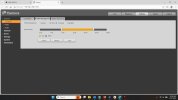
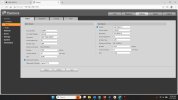
DAY
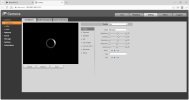
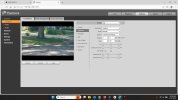
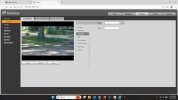
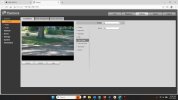
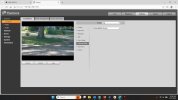
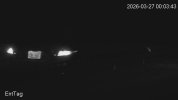
NIGHT
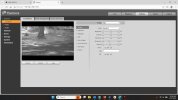
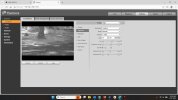
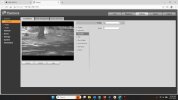
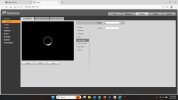
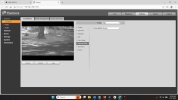
SAMPLES
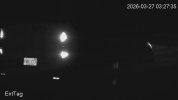
-------------
Every scene will be different, its takes time and trial and error. And reading posts in the LPR forum
Here's some, they may get you close, may not, but no idea what your scene looks like, how much light, speed of vehicles, etc.
Like i said every scene is different
Biggest thing is to first get the manual focus right.
DAY
NIGHT
SAMPLES
Hi bigredfish,
I apologize as for the most part I think I would be called a noob when it comes to deeper into specific settings.
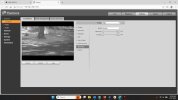
I set everything to the way you had it, but it wouldn't let me set the Day & Night parameter. It was set to Auto was greyed out. I also don't have the profile management for day/night.
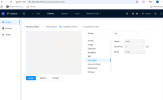
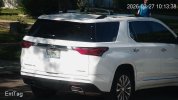
The conditions of the area are clear and it's a small subdivision, so the speed will not be high (with the exception of some idiots). Out of the 2 snapshots, the panoramic one farther out seems to do a better job on the focus when you zoom in on the pic. Here is the manually zoomed in with the jpg for the panoramic.
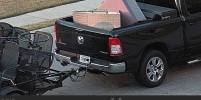
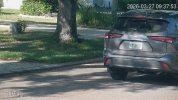
Here's the vehicle body jpg (as it is, not manually zoomed) and there's more blur so you can't make this one out even if you zoom in with the jpg.
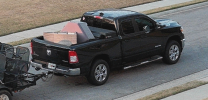
I see a lot of people show pics of mostly smaller parts of the car and the license plate, while mine seems to be getting more of the full vehicle. I'm not sure, but I was thinking it might be based on the focus area I set. The camera itself is about 40ft from the area.
I apologize as for the most part I think I would be called a noob when it comes to deeper into specific settings.
I set everything to the way you had it, but it wouldn't let me set the Day & Night parameter. It was set to Auto was greyed out. I also don't have the profile management for day/night.
The conditions of the area are clear and it's a small subdivision, so the speed will not be high (with the exception of some idiots). Out of the 2 snapshots, the panoramic one farther out seems to do a better job on the focus when you zoom in on the pic. Here is the manually zoomed in with the jpg for the panoramic.
Here's the vehicle body jpg (as it is, not manually zoomed) and there's more blur so you can't make this one out even if you zoom in with the jpg.
I see a lot of people show pics of mostly smaller parts of the car and the license plate, while mine seems to be getting more of the full vehicle. I'm not sure, but I was thinking it might be based on the focus area I set. The camera itself is about 40ft from the area.

Chokolinho
Getting comfortable
Custom Scene.Hi bigredfish,
I apologize as for the most part I think I would be called a noob when it comes to deeper into specific settings.
I set everything to the way you had it, but it wouldn't let me set the Day & Night parameter. It was set to Auto was greyed out. I also don't have the profile management for day/night.
View attachment 240816
The conditions of the area are clear and it's a small subdivision, so the speed will not be high (with the exception of some idiots). Out of the 2 snapshots, the panoramic one farther out seems to do a better job on the focus when you zoom in on the pic. Here is the manually zoomed in with the jpg for the panoramic.
View attachment 240822
Here's the vehicle body jpg (as it is, not manually zoomed) and there's more blur so you can't make this one out even if you zoom in with the jpg.
View attachment 240821
I see a lot of people show pics of mostly smaller parts of the car and the license plate, while mine seems to be getting more of the full vehicle. I'm not sure, but I was thinking it might be based on the focus area I set. The camera itself is about 40ft from the area.

Hi bigredfish,
I apologize as for the most part I think I would be called a noob when it comes to deeper into specific settings.
I set everything to the way you had it, but it wouldn't let me set the Day & Night parameter. It was set to Auto was greyed out. I also don't have the profile management for day/night.
View attachment 240816
The conditions of the area are clear and it's a small subdivision, so the speed will not be high (with the exception of some idiots). Out of the 2 snapshots, the panoramic one farther out seems to do a better job on the focus when you zoom in on the pic. Here is the manually zoomed in with the jpg for the panoramic.
View attachment 240822
Here's the vehicle body jpg (as it is, not manually zoomed) and there's more blur so you can't make this one out even if you zoom in with the jpg.
View attachment 240821
I see a lot of people show pics of mostly smaller parts of the car and the license plate, while mine seems to be getting more of the full vehicle. I'm not sure, but I was thinking it might be based on the focus area I set. The camera itself is about 40ft from the area.
My settings are based on using Customized Scene where you specify day and night. I recommend it vs Day/Night Switch as it gives more control.
You have a newer model than mine but settings would be very similar.
You zoom in using the control on the “live” page. Manually zooming distorts the image