


Dahua NVR5216P-EI2 / EmpireTech #NVR16CH-16P-2AI-S2
- Thread starter bigredfish
- Start date
You are using an out of date browser. It may not display this or other websites correctly.
You should upgrade or use an alternative browser.
You should upgrade or use an alternative browser.
EMPIRETECANDY
IPCT Vendor

Mark_M
Known around here
I've used about 4 different NVRs on v5 NEXT interface.... including a demoNVR5xx-XIPRO with Wizseek.Seeing some problems with this new "NEXT" fw
Both January 2026 and new March 2026 fw
Browsers used; Chrome, Edge, Edge in IE Mode, Original IE
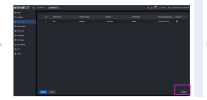
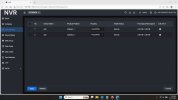
1)- Unable to create Face database
View attachment 239975
View attachment 239976
Your face database size shows 0M/0M available. Somethings wrong with reading the internal m.2 SSD. (The 5 series with on board AI processing have an SSD on the motherboard, in conjunction with the HDDs).
Your whole NVR looks like it needs to be reset and re-installed.
Everything's working fine on unit's I've used.


alastairstevenson
Staff member
That's not a valid suggestion as a response to seeing the SMART data that indicates that a small part of the HDD surface has an imperfection.The engineer suggest to make a format to the Disk.
All it does is to clear the tables that point to where data is stored on the disc, it will do nothing to change the fact that a few sectors have been listed as out of use.
In reality, 52 re-allocated sectors is a very small number, what's important is to monitor it, and the various other SMART error attributes to see if it changes over time.
Any steady or rapid increase may suggest a failing HDD, that should be replaced.
If it's stable the HDD should still provide reliable service.
@bigredfish What does the reallocated sector count now show after the format?
reallocated on disc#1 is 52, on disc#2 0
Slept in, On first cup of coffee so give me a few to see what we have since the reformatting
Obvious difference. I think that may have solved some issues. Will need a bit to know on events playback as noting happens here after 11pm
Slept in, On first cup of coffee so give me a few to see what we have since the reformatting
Obvious difference. I think that may have solved some issues. Will need a bit to know on events playback as noting happens here after 11pm
YES-Playback issues have resolved. (Target video and Event Video, VMD IVS)
YES- Face database - was able to create. Will have to wait for targets to test
NO- AI Report- No change. No results under VMD (which does have records)
So while I need more targets to fully test, it looks like the reformat did the trick on most of the issues. Never had that happen before in my 12+ years of messing with these.
Cold front came through last night so many of the old folks may not be out this morning.
I'll have to brave the elements, bundle up in 3 layers of winter clothes and a jug of hot coffee and go walk back and forth in front of the camera (its a brutal 44 degrees F this morning
 )
)
YES- Face database - was able to create. Will have to wait for targets to test
NO- AI Report- No change. No results under VMD (which does have records)
So while I need more targets to fully test, it looks like the reformat did the trick on most of the issues. Never had that happen before in my 12+ years of messing with these.
Cold front came through last night so many of the old folks may not be out this morning.
I'll have to brave the elements, bundle up in 3 layers of winter clothes and a jug of hot coffee and go walk back and forth in front of the camera (its a brutal 44 degrees F this morning
)EMPIRETECANDY
IPCT Vendor
Thanks for bigredfish buddy's keep trying , the AI report i will follow up. Keep warm! 
alastairstevenson
Staff member
I just realised - I'd made the assumption that the reformat suggestion was about dealing with the SMART data showing reallocated sectors, as opposed to some logical inconsistency in the file structures on the HDD causing the playback issues.it looks like the reformat did the trick on most of the issues.
Dohh!
Never seen it before.
These drives came out of a perfectly working 5216-16P-4KS2E
These drives came out of a perfectly working 5216-16P-4KS2E
Now other than the AI report that I’m pretty sure doesn’t work (Jeff also had the problem) my last issue is DMSS
I get the full time playback but no IVS or VMD events?
They are being recorded as evidenced by payback on the NVR and SmartPSS
Anyone with the NEXT FW seeing this?
(The same 2 cameras plugged into the older 5216 beside it show events in DMSS )
I get the full time playback but no IVS or VMD events?
They are being recorded as evidenced by payback on the NVR and SmartPSS
Anyone with the NEXT FW seeing this?
(The same 2 cameras plugged into the older 5216 beside it show events in DMSS )
Resolved
Updated DMSS to latest version. 2.4.1
March 2, 2026
Now acknowledges IVS and VMD alerts
Apparently older versions of DMSS (Jan 2026 and previous?) don’t play well with the new “NEXT” NVR firmware
Updated DMSS to latest version. 2.4.1
March 2, 2026
Now acknowledges IVS and VMD alerts
Apparently older versions of DMSS (Jan 2026 and previous?) don’t play well with the new “NEXT” NVR firmware
Hi i am new here,
I need the firmware for DHI‑NVR5216‑16P‑4KS2E (ST7108, deviceType=31).
Please if anyone could direct me to MultiLang V4.004.0000000.1.R firmware for the 4KS2E platform
i will truly appreciate it,
I am also locked out of the advanced menu on both the ip web intereface page as well the hdmi output wont show it either.
if anyone could help me upgrade the firmware and get me out of the lite menu i will very much appreicate.
Thank you
I need the firmware for DHI‑NVR5216‑16P‑4KS2E (ST7108, deviceType=31).
Please if anyone could direct me to MultiLang V4.004.0000000.1.R firmware for the 4KS2E platform
i will truly appreciate it,
I am also locked out of the advanced menu on both the ip web intereface page as well the hdmi output wont show it either.
if anyone could help me upgrade the firmware and get me out of the lite menu i will very much appreicate.
Thank you

H. Swanson
Pulling my weight
Now that you've fixed these issues, how are you feeling about the latest NVRs and their UI?Resolved
Updated DMSS to latest version. 2.4.1
March 2, 2026
Now acknowledges IVS and VMD alerts
Apparently older versions of DMSS (Jan 2026 and previous?) don’t play well with the new “NEXT” NVR firmware
Now that you've fixed these issues, how are you feeling about the latest NVRs and their UI?
If you handed me both and said I could only keep one, it would be the 4KS2E. Mostly based on experience and reliability.
But then I drive a 12 year old vehicle for the same reason
Lets face it, The NEXT UI models strength (for an end user homeowner) is really being able to use an NVR AI feature along with the camera's AI simultaneously
So in practical terms for homeowners that's being able to use
IVS AND VMD
or
IVS and Face Detection
If thats super important than any of the new 5th gen FW is nice to have
Yes it does also have increased bandwidth which I guess could become important IF you run ALL 4K cameras at max settings
Its not like the new NVR UI and features are revolutionary. Its a bit more powerful at a price.
I suspect with needing the P2P enabled and be logged into a Dahua account to use P2P on a mobile device, we'll see options or "upgrades" made available someday, at a price
For Installers/contractors, the whole ecosystem is probably easier for them to manage
