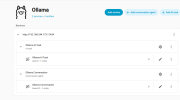
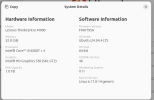
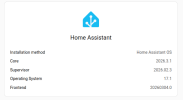
I am running Ollama locally on host with a VB of Home Assistant. Gave it a snarky personality where it questions my commands. Use it mostly for text to speech hourly chime and NWS alerts, lightning alerts, et al.
I am running Ollama locally on host with a VB of Home Assistant. Gave it a snarky personality where it questions my commands. Use it mostly for text to speech hourly chime and NWS alerts, lightning alerts, et al.
Yes, Ollama runs on Raspberry Pi 4 and 5 (64-bit OS recommended). It is best suited for smaller models (1B-3B parameters) like TinyLlama or Gemma2 to achieve usable performance. An 8GB RAM model is recommended for better performance and larger model capability.
Key Details for Running Ollama on RPi:
Supported Models: TinyLlama, Phi-3, Gemma 2b, and LLaVa.
Performance: Performance is limited; expect slower token generation compared to desktop/GPU setups.
Requirements: A 64-bit OS (like Raspberry Pi OS 64-bit) is required.
Installation: Use the standard Linux install command: curl -fsSL