

Built-in AI not detecting (DEBUG ATTACHED)

electron73

n3wb
Aug 23, 2016
11
1
Hi guys!
Really rare that I get stuck with something but here we go.
Blue iris latest running on Windows10 LTSC VM on a Ryzen 9950X Proxmox, everything works great and snappy, events getting detected properly, persons, vehicles detected properly, round trips for AI in the 50-60ms range. But there is a mystery here.

Please see the attached screenshot. WHY did this event not trigger? A person was clearly detected with 84% and 70% and then 63% confidence in three frames in a row. The canceled alert just says "occupied" and there is a yellow stopwatch.
I have other (confirmed red person) events from the same camera with less confidence or person detected in just one of the frames yet it triggered correctly.
It feels like Blue Iris is on the cutting edge with the software but the docs are ANCIENT.

Does anyone know whats going on here?
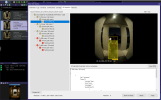
Screenshot 2026-02-11 062205.png
 
I have been trying to resolve this with settings, but have been unsuccessful. I would advise you to email Blue Iris support with as much documentation and examples as possible.
I have been emailing with Ken, but the more examples he receives might help him put this issue higher on his list.
I have not found any settings that resolve this.
 
There is more discussion about this issue in this thread:

 
Your timings between each analysis are too closely spaced, thus not properly identifying the motion between each "frame" of analysis. Try changing that setting to every 750ms or even 1 second for relatively slow moving objects like people. Somewhat of a "known issue" with the version of AI that Ken has integrated into BI.
 
Not only built in AI, but also CPAI.
And if all I want to do is track people walking, this will work.
Vehicles, not so much.
So Blue Iris is now good at identifying slow objects.
 
I'm so confused. The AI detects a sitting, stationary car in my street every time the street cam gets a motion event. I have intentionally not set the option to require ongoing motion overlap on the AI tab because I just want to trigger a web hook to my home automation to play a jingle every time there is ANY motion by the front door and a person is detected there..
If I understand this right from the sparse documentation, when a camera causes a motion trigger either via on if event or built in motion detector, the frames are sent to the AI for analysis and if a required condition is met ("person") then blue iris will execute the action.
Nowhere is it explained or clear how many frames one should analyze and how far apart the they should be. It sounds like looking at multiple frames gives you a higher chance to detect something which worked perfectly in my example. The person was detected three times. Why didn't it trigger?
 
Have you actually tried changing the time between each analysis to a minimum of 750ms (or 1 second) for this specific camera with a view of an entryway? This is a particularly difficult view, with most of the motion happening in the parallel (or "head-on") direction, making it even more challenging for the AI to see motion if each frame is too closely spaced. You might get away with closer timings with faster moving objects or ones that cross perpendicular to the field of view.
I'd also suggest 2-3 pre-trigger and at least 6-8 post-trigger analyses (I use up to 16 personally). Despite the current general recommendation against it, I also still add an "impossible" object (table, girafe, etc) in the "To Cancel" box: this forces the maximum number of analyses that you have specified.
 
My opinion, and then I will stop posting about this.
For about a year and a half or more, I used the same pre post and timing settings. I didn't have to change them since moving to CPAI.
Pre: 4
Post: 10
Time: 500 msec (for years, since Deepstack)
I never saw this behavior. All objects are stationary, even if they are moving.
You shouldn't have to make all these adjustments to allow Blue Iris time to figure out if an object is moving.
There is something going on with the logic that identifies stationary objects. Blue Iris is getting confused.
Email BI support. Ken is out of the office until next week however.
 
I will try to change the settings and add more frames but as it is now , everything works like 99% of the time. With my settings. Just fine. Person outside the door, detects, shows a red person in the timeline, everything. That one time where I posted the screenshot of, it didn't detect and just said "occupied" in the canceled event list. Nowhere is there any explanation what "occupied" means and why the AI inspector is telling me there is a person but there is yellow watches instead of a person symbol and the actions didn't trigger.
Sounds like an email to support is due. I did just recently purchase the license too, so I'm hoping they will actually respond to support.

You say "Ken is out of the office". Is Blue Iris a one-man show?
 
Hi guys!
Really rare that I get stuck with something but here we go.
Blue iris latest running on Windows10 LTSC VM on a Ryzen 9950X Proxmox, everything works great and snappy, events getting detected properly, persons, vehicles detected properly, round trips for AI in the 50-60ms range. But there is a mystery here.

Please see the attached screenshot. WHY did this event not trigger? A person was clearly detected with 84% and 70% and then 63% confidence in three frames in a row. The canceled alert just says "occupied" and there is a yellow stopwatch.
I have other (confirmed red person) events from the same camera with less confidence or person detected in just one of the frames yet it triggered correctly.
It feels like Blue Iris is on the cutting edge with the software but the docs are ANCIENT.

Does anyone know whats going on here?

View attachment 237999
Regarding the occupied issue:

Received email from Ken:

Thanks!

A somewhat major flaw was discovered based on your detail of this issue.

A fix will be included today in 6.0.2.2.

Take care

Ken
 
  • Like
Reactions: jrbeddow
Interesting, I installed 6.0.2.2 about an hour ago and have already seen instances where I'm still getting false "occupied" cancelled clips where there is clear and obvious vehicle movement in relevant zones. Ugh...we are still not there yet, even if I thought I had tuned the timings to avoid this crap.
 
Interesting, I installed 6.0.2.2 about an hour ago and have already seen instances where I'm still getting false "occupied" cancelled clips where there is clear and obvious vehicle movement in relevant zones. Ugh...we are still not there yet, even if I thought I had tuned the timings to avoid this crap.
I still see a few as well.
I haven't checked the actual breakdown (Ctrl Double Click) yet. I'll look tomorrow morning.
 
  • Like
Reactions: jrbeddow
Sadly it seems like Blue Iris (while packed full of features and extremely configurable) is also still very buggy. Since I started using it and paid for it in Nov 2025 I also have the problem that the program constantly crashes when using the UI3 on my phone to "scroll" left and right on the timeline to find an event. Literally almost every time the windows app will crash and a red log entry will appear saying that the app crashed. Thanks everyone for the replies. As a total BI newbie I'm still trying to find my way around which can be hard given the fast pace of changes and the extreme lag of the manual or help pages behind the software development. There are so many features I have NO IDEA what they do and neither the manual nor google are helpful :(