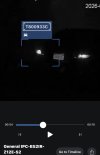
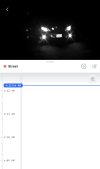
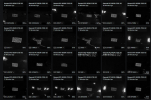
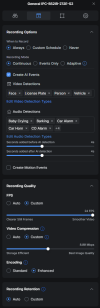
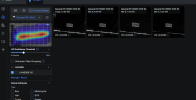
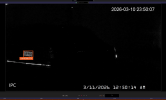
Good news - LPR at night using ONVIF cameras in UniFi Protect now works! [Requires AI Port]

Arjun

IPCT Contributor
Feb 26, 2017
12,901
15,566
The Free? World
What is important to note is that it requires AI
Port for processing

It used to be that LPR only worked well during daytime in UniFi Protect. Now the latest update to UniFi Protect has released and comes with Night Time Plate Detection for all third party cameras (make sure you pay the $200 royalty to Ubiquiti)

Fortunately it is not bogging down UniFi Protect and seems to be gathering detections better than Blue Iris 6

Camera of choice for LPR is any Dahua Z12E
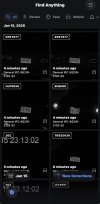
 

Attachments

  • IMG_1764.jpeg
    IMG_1764.jpeg
    358.7 KB · Views: 32
  • IMG_1763.jpeg
    IMG_1763.jpeg
    108.8 KB · Views: 32
  • IMG_1762.jpeg
    IMG_1762.jpeg
    120.1 KB · Views: 32
Update to 6.2.83 Protect (if it does not show up, switch to Early Access)
 
Sorry fat fingered it…
DOESNT work… it’s trash

6.2.83
5.1.8 Port


I don’t even get “motion” alerts. Set the motion to highest sensitivity and it doesn’t pick anything up at night. During the day it works beautifully
 

Attachments

  • IMG_4762.jpeg
    IMG_4762.jpeg
    117.8 KB · Views: 22
  • Wow
Reactions: Arjun
Sorry fat fingered it…
DOESNT work… it’s trash

6.2.83
5.1.8 Port


I don’t even get “motion” alerts. Set the motion to highest sensitivity and it doesn’t pick anything up at night. During the day it works beautifully
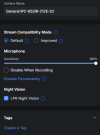
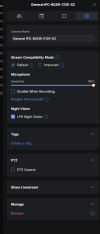
Working fine for me | Go to settings and make sure LPR Night Vision is on
I still find Blue Iris having 97% Confidence Interval, but both systems are working simultaneously


1768604652132.png


1768604679427.png

1768604708879.png

1768604732471.png
 
Wittaj might be onto something. Unrelated but similar.....>I was tinkering with License plate reading in AI from BI. I wondered if My plates may be too small even though they are clearer than Arjuns.
Of course I probably have some setting wrong, but no time lately to mess with. So who knows.
Snow is really messing with plate reading tonight.
1768632856402.png
1768632952015.png
 
  • Like
Reactions: Arjun
Wittaj might be onto something. Unrelated but similar.....>I was tinkering with License plate reading in AI from BI. I wondered if My plates may be too small even though they are clearer than Arjuns.
Of course I probably have some setting wrong, but no time lately to mess with. So who knows.
Snow is really messing with plate reading tonight.
View attachment 236499
View attachment 236500
Try my custom license plate model it should work better then the default BI model.

 
  • Like
Reactions: Arjun
@MikeLud1 ‘s custom plate model is working better than UniFi Protect, that is for certain

Also I noticed my camera zooming a little out a couple of mm’s after sunset. I have corrected the positioning however need to retweak the focus setting.
 
  • Like
Reactions: MikeLud1
What is important to note is that it requires AI
Port for processing

It used to be that LPR only worked well during daytime in UniFi Protect. Now the latest update to UniFi Protect has released and comes with Night Time Plate Detection for all third party cameras (make sure you pay the $200 royalty to Ubiquiti)

Fortunately it is not bogging down UniFi Protect and seems to be gathering detections better than Blue Iris 6

Camera of choice for LPR is any Dahua Z12E
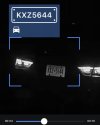
Mine stops working every night. Only way to fix it is to put the fps/bitrate to auto then restart the AI Port…

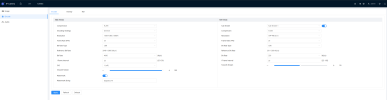
Would you be able to post a SS of your dahua encoding window. What resolution/fps/bitrate you running in the dahua camera
 
  • Like
Reactions: Arjun
Mine stops working every night. Only way to fix it is to put the fps/bitrate to auto then restart the AI Port…

Would you be able to post a SS of your dahua encoding window. What resolution/fps/bitrate you running in the dahua camera
Sure,

1773228040261.png

1773228077049.png 1773228103766.png

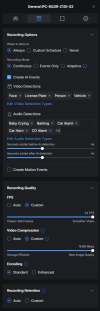
I recently when back to standard encoding in UniFi Protect due to issues with night-time LPR detection after a recent UniFi Protect update. Works very well now, and I cross-check with the AI Model in Blue Iris's LPR detection and Rekor Scout

1773228380727.png 1773228404117.png
 
Hmmm I’m wondering if the fps or bitrate is messing it up for me. Have it set to 60fps, 4k, 14bitrate. Runs fine during the daytime, if you download a clip in protect it’s also recording in same specs however every night, when it switches from daytime to nighttime recording mode it fails and doesn’t pick anything up unless I restart