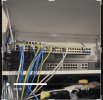
I am using ipcampower switches past gen 10/100/1000 mbps PoE+ switches x 2. When I power off my entire or system or just the switches some cameras have no signal. If I reboot the switches the same or other cameras may power on and are viewable and some are not.
If I input the ip address in a browser I time out. At other times they will connect and provide picture/sound. New CAT 6 wire with new connectors toned and checked about two years ago. I’ve had this issue from day one with previous ipcampower switches as well.
Any ideas?
it definitely sounds like the issue isn’t your cabling or cameras but the switch behavior itself. When cameras randomly come up or don’t come up after a full power cycle, that usually points to one of these:
1. PoE budget instability
Some cheaper PoE+ switches advertise a high port count but don’t actually supply stable wattage across all ports at once. When everything powers up simultaneously, a few cameras get starved and never finish booting.
2. Slow or inconsistent DHCP / ARP tables
If the switch is slow to negotiate links or clear its tables after a reboot, some devices will fail to grab an IP on time and appear “offline” until it retries.
3. Poor inrush current handling
When all the cameras draw startup power at once, lower end switches sometimes brown out individual ports.
For what it’s worth, I eventually gave up on the IPcamPower line for exactly this reason. I’m currently using the GW Security 16 port and 24 port PoE switches in two different setups and have had zero issues with cameras not coming back online after full power cycles. Every port negotiates instantly and the PoE budget is actually stable under full load.
Before replacing hardware, you
can try:
- power-cycling modem/router first
- then power the switch
- then the NVR
Sometimes the order matters for cheaper devices.