IPC-HFW5241E-Z12E stopped switching between night and day modes

JK200SX

Young grasshopper
Feb 25, 2020
55
21
Australia
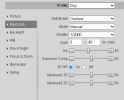
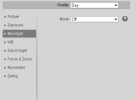
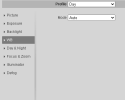
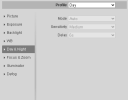
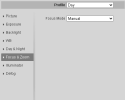
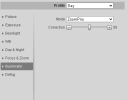
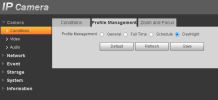
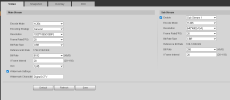
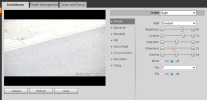
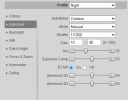
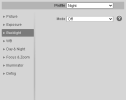
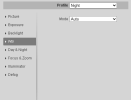
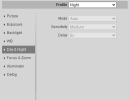
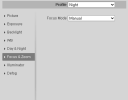
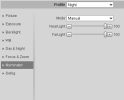
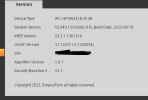
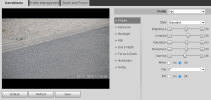
Recently I noticed that my camera has stopped switching between the day and night modes, and has lost its focus. I can manually reboot the device and it will go to day mode and work in colour just fine. It can then switch over to night mode at dusk and work fine as well. However, in the morning it won't switch back to day/colour mode and is making the license plate unreadable with the night profile during the day. The camera worked fine for years and this has just happened recently. I have upgrade the firmware and the same thing happens. I'll attach some photo's of the current settings and if someone can point me in the right direction that would be great.

Thanks,

JK
1767831635963.png1767832070380.png1767832126044.png1767832175273.png1767832213919.png

1767832267010.png1767832301656.png
1767833492337.png

1767833570449.png

1767833650942.png1767833695704.png1767833740267.png1767833766215.png1767833797756.png

1767833855684.png1767833890735.png
1767833979776.png
 
The day/night feature on this version GUI does not work like you think. It picks one profile and then simply switches between color or B/W.

If it worked before using the day/night feature then you simply got lucky LOL.

You need to use the schedule feature or use the utility created by a member here because the day/night feature doesn't work the way it should if you run a computer 24/7:

 
  • Like
Reactions: Arjun
The day/night feature on this version GUI does not work like you think. It picks one profile and then simply switches between color or B/W.

If it worked before using the day/night feature then you simply got lucky LOL.

You need to use the schedule feature or use the utility created by a member here because the day/night feature doesn't work the way it should if you run a computer 24/7:

What do you mean by "It picks one profile"? How does it determine which profile to choose? Is it random?

And once and for all, is there no way to have the camera switch to either the Day or Night profile based on ambient light? Is the only way to do that by scheduling it via Time Plan Settings?
 
What do you mean by "It picks one profile"? How does it determine which profile to choose? Is it random?

And once and for all, is there no way to have the camera switch to either the Day or Night profile based on ambient light? Is the only way to do that by scheduling it via Time Plan Settings?

To do it reliably no. Use the Schedule profile and have it switch 30-45 m in before sunset and 30-45 min after sunrise
 
  • Like
Reactions: Arjun
What do you mean by "It picks one profile"? How does it determine which profile to choose? Is it random?

And once and for all, is there no way to have the camera switch to either the Day or Night profile based on ambient light? Is the only way to do that by scheduling it via Time Plan Settings?

For the cameras with the old yellow/grey/black GUI - NO - it will pick one profile and then simply switch b/w or color based on light.

For the new blue/white GUI the day/night button works as expected, but not all cameras come with the day/night button.
 
  • Like
Reactions: Arjun