BI 5.x updated to 6.x massive memory usage - AI Related - Max connects

scoob8000

Getting the hang of it
Dec 28, 2018
143
63
PA
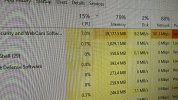
I upgraded to 6.0.1.7 after Christmas and noticed my memory blew up. System has 16gb, BI using more than that and hammering my pagefile.

On a whim I disabled the built in AI and went back to CPAI and memory usage went back to normal. However my CPAI seems to be getting hit a lot harder.

I just happened to notice the setting about max concurrent connections to the server, and the help file mentions each connection can use up to 500mb of ram and can overwhelm external servers.
So I'm wondering, how many max connections was 5.x allowing before we had this config option... I took it from the default 40, down to 10 and my CPAI cpu usage went back to normal.
 
Just an update, I dropped the max connects waaaay down to 4 and the memory usage seems decent and didn't increase the response times. Not sure if that was the right move or not but suggested by chatgpt. :)
 
  • Like
Reactions: aesterling
Another update: Dropping max connects to 4 solved my issue. Memory usage stayed good. I did notice with internal and set to 4, ram usage is roughly a gig higher than using CPAI. I actually switched back to CPAI this morning again due to accuracy. We had some snow squalls last night and the built in yolov8 what freaking out seeing 50 cars in one frame. CPAI yolov5 seems to be a bit better for my use case. I'll try again as the built in AI matures or more models become available.
 
Another update: Dropping max connects to 4 solved my issue. Memory usage stayed good. I did notice with internal and set to 4, ram usage is roughly a gig higher than using CPAI. I actually switched back to CPAI this morning again due to accuracy. We had some snow squalls last night and the built in yolov8 what freaking out seeing 50 cars in one frame. CPAI yolov5 seems to be a bit better for my use case. I'll try again as the built in AI matures or more models become available.
I checked my three systems and Max Connections was set to 99, changed them all to 10 and only saw a slight drop in my memory usage! I am not sure why your change was so dramatic!
 
I checked my three systems and Max Connections was set to 99, changed them all to 10 and only saw a slight drop in my memory usage! I am not sure why your change was so dramatic!
Was your memory usage really high to begin with? And weird yours was at 99. Mine was at 40.

Also I'm running as a service, and did reboot after I made the change just to clear things out. I didn't really give it a chance to drop on it's own. But my whole PC was so lethargic with ram swapping to pagefile at that point.
 
My memory usage was about 2-3 GB, I did not record the actual numbers as it is always low until AI gets called to do an analysis, all of my systems have 64GB total ram so the memory usage was not causing them any issues1 All systems run as a service and I did a full reboot to ensure everything was cleared and reinitialized!
 
My memory usage was about 2-3 GB, I did not record the actual numbers as it is always low until AI gets called to do an analysis, all of my systems have 64GB total ram so the memory usage was not causing them any issues1 All systems run as a service and I did a full reboot to ensure everything was cleared and reinitialized!
Oh gotcha. Things might have been compounded for me as I only have 16gb of ram, quite a few cams and have been having blowing snow the past few days causing my AI to work overtime.
 
IMG_8338.jpeg

i had this problem too, i upgraded to 6 manually by downloading the installation package from BI website, and then for some reason when this happens, it says my version was 5.9.9.98 (before the manual upgrade i had 5.9.9.73)… and then i manually upgraded again, with 6.0.0.1 now, seem fine for now… it was causing system instability with that huge amount of ram allocation into BI