

I have setup IVS and tracking. When I get a trip and go to play back it only shows about 11-12 seconds in intelligent search. But when I go to general play back it records and follows the entire time. Examples are for what I see when I play back with different searches. What am I missing?
PTZ5A4M-25X IVS and Tracking ?
- Thread starter ponyrider127
- Start date
You are using an out of date browser. It may not display this or other websites correctly.
You should upgrade or use an alternative browser.
You should upgrade or use an alternative browser.

bigredfish
Known around here
The Intel search is simply the preview file. I believe you can set how long it records after tripping on the rule page. Default is 10 seconds

I have tracking set at 300 sec. and post record at 120 sec.The Intel search is simply the preview file. I believe you can set how long it records after tripping on the rule page. Default is 10 seconds
bigredfish
Known around here
I have tried NVR and Smart PSS. I still only get 10-12 sec. of a longer video on intelligent search. The only way to see all of the video is to search under general search.Yes Post record is what I was talking about.
Where are you viewing this 10 sec clip?
On the NVR AI web gui?
Those are just previews
tmxv4128
Getting comfortable
Yes I used IE. That seems to be what is happening.Did you make the settings on the PTZ using Internet Explorer? With other browsers the settings sometimes will not hold, be reset to the default 10 seconds, or even be hidden.
tmxv4128
Getting comfortable
I just got the camera. I will see if a new firmware is available and start all over again.In that case, the next thing to try might be a factory reset of the camera and then reload your settings. I had to do that with my PTZ to cure whatever was causing the problems that I couldn't seem to fix.
tmxv4128
Getting comfortable
This is the newest firmware that Andy lists on his site. I have the same camera as you have, and I tried this new firmware, but it wasn't working as well as the previous firmware I had been using. Andy has a special "animal tracking" firmware (by request only) for the camera (dated 3/17/25) that I reverted back to, and it is working better for me.I just got the camera. I will see if a new firmware is available and start all over again.
Attachments

tmxv4128
Getting comfortable
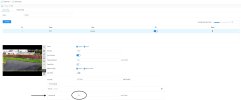
Yes it is. I have it post recording set to 120 sec. but only records 10 sec.Just to be clear, is this where you are making the post-record settings, as Bigredfish suggested? This is what it looks like on my screen.
tmxv4128
Getting comfortable
Ok, sounds like a factory reset is in order. Sometimes old settings get stuck on previous values.Yes it is. I have it post recording set to 120 sec. but only records 10 sec.
I have done a factory default setting and the only way to see all the motion is to search all recordings. I still only get 10-12 sec. if I search for motion only.
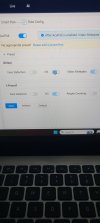
I do not know if this is right but on IVS setup the on-off for IVS and video metadata is greyed out so you can not turn off.
I do not know if this is right but on IVS setup the on-off for IVS and video metadata is greyed out so you can not turn off.
Ok, sounds like a factory reset is in order. Sometimes old settings get stuck on
Attachments
bigredfish
Known around here
Turn OFF Acupick, Reboot, login back in and enable IVS
Acupick is of little or no benefit in a residential setting
Acupick is of little or no benefit in a residential setting
Thanks bigredfish that gave me more control.Turn OFF Acupick, Reboot, login back in and enable IVS
Acupick is of little or no benefit in a residential setting
bigredfish
Known around here
I am using IVS only. I just had my first tripwire and checked search for intelligent and still only get 10 sec. I have to search all search to see the rest of tracking.You want to be using IVS, not MD/SMD
And if you use Global, use it for VMD
bigredfish
Known around here
That’s all you’ll get on a timeline with Intel only
Most of us record both full time and Intel both
The “event” that is tripped only last a second. You’ll see before and after the event on the general recording
Most of us record both full time and Intel both
The “event” that is tripped only last a second. You’ll see before and after the event on the general recording
Thanks, that is what I do also. Just thought it would keep showing with intel until is was done.That’s all you’ll get on a timeline with Intel only
Most of us record both full time and Intel both
The “event” that is tripped only last a second. You’ll see before and after the event on the general recording