
Looking for firmware for an old dahua nvr
- Thread starter Cal69
- Start date

You are using an out of date browser. It may not display this or other websites correctly.
You should upgrade or use an alternative browser.
You should upgrade or use an alternative browser.

I've got a circa 2018 Dahua 4216 NVR and I don't don't think there are any updated firmware for mine. Seems like after about a year or so they move on.


Oceanslider
Known around here
Maybe ask @EMPIRETECANDY . If anyone he might know or have a connection. But I sort of agree with the previous poster, updates only within the first 1-2 years.I'm looking to update this old recorder see picture it's not been updated in about 10 years the firmware is 2015 on it, if somebody could point me in the right direction to update it.
Thanks.
EMPIRETECANDY
IPCT Vendor
latest new one is this NVR4xxx_Eng_PN_V3.200.0000.4.R.20141104
EMPIRETECANDY
IPCT Vendor
That is too old, just let it go and update to the new generation NVR later when you have the budget.
lol. I'm so frugal.... I bought my cameras from Andy in 2018. Everything has been rock solid except lighting taking out the network port on my NVR (and other things). I was just starting to look at new gear. I have to get reading here. I don't know about the AI stuff. I really only need 8 channel. Always thankful for ipcamtalk as my resource.That is too old, just let it go and update to the new generation NVR later when you have the budget.
EMPIRETECANDY
IPCT Vendor

shelestoff
Young grasshopper
Excuse me, but you are mis.latest new one is this NVR4xxx_Eng_PN_V3.200.0000.4.R.20141104
This one is latest offical, baselined.
DH_NVR4xxx_Eng_P_V3.203.0000.0.R.20170612
Last edited:
TY! I'm curious now. Is that 3.215... on mine not the firmware? I'm not to good with this stuff. Where do I officially chk the firmware? I looked at the upgrade area.Excuse me, but you are mis.
This one is latest offical, baselined.
DH_NVR4xxx_Eng_P_V3.203.0000.0.R.20170612
shelestoff
Young grasshopper
Its not about your device. It’s for NVR4108H-8P. To check firmware for your device, provide full model from sticker or SN trough pmTY! I'm curious now. Is that 3.215... on mine not the firmware? I'm not to good with this stuff. Where do I officially chk the firmware? I looked at the upgrade area.
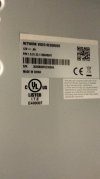
Sry. Thought the xx included it. I don't see a model # on the sticker. It's a NVR4216-4KS2-OEM. The sticker S/N is 3G00B8BPAZ98DA6. Only other number on sticker is P/N: 1.0.01.23.11306#0047. Thank you for your time.Its not about your device. It’s for NVR4108H-8P. To check firmware for your device, provide full model from sticker or SN trough pm
Attachments
shelestoff
Young grasshopper
you have to update this NVR step by step to FW with start of name "General_NVR4xxx-4KS2_..."3.215.0000000.4 system version. 1/19/2018
Lets clarify some information, such as what kind OEM brand of NVR (signs on front), what brand of cameras, what is the problem with cams or NVR?

H. Swanson
Pulling my weight
@EMPIRETECANDY - when do you expect the new Pro NVRs with WizSeek to be available?Yes mate, they are very stable, when update to the new cams the NVR may not work well, bandwidth is too limited. The New GUI have big improvement.
Last edited:
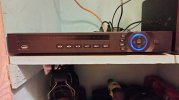
I have only Dahua cameras connected. I can't say I'm really having any problems. Other than having to take down one of the cameras and hard reset it. I just think the UI looks ancient. It works so maybe it's best not to mess with it. I've attached a picture showing no brand. It was purchased thru Ebay after lighting took my other one out. Is the firmware(s) available to download somewhere? Thx again for assisting.you have to update this NVR step by step to FW with start of name "General_NVR4xxx-4KS2_..."
Lets clarify some information, such as what kind OEM brand of NVR (signs on front), what brand of cameras, what is the problem with cams or NVR?
Attachments

looney2ns
IPCT Contributor
I was telling myself that after recently upgrading to TPlink Omada gear. My router was about 10 years old too. There was a learning curve of a week or so. Frustrating. But now I'm lovin it. Couple of Vlans set up. All working well.If it ain't broke, don't fix it.