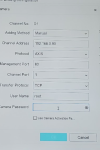
Tried ONVIF, with root and admin as username, also tried with and without "pass" as passwordTry ONVIF as the protocol?
I don't currently have any other cameras connected to the network but thank you for the heads up as i do plan on adding another, i currently got the 8mp 30fps version but if i can get it to work im pulling the trigger on the P1448-LE 8mp 60fps because I seen someone selling for a quarter of the retail price.As stated double check that ONVIF is enabled and if your camera is like mine you might want to also enable Adaptive Stream.. If I don't enable that on my Axis camera I can add the camera to my NVR but it will kick off all other cameras because the stream is to much of my Amcrest or Dahua NVRs.. While this might not be the case for all users it is something to check if that might be the issue..
For me, to access I click the COG in the bottom right of the cameras WebUI and there is an option there to turn on or off.. With it on I can connect to my NVRs without an issue even using 1080P at 60fps..

hey brother Try setting up the username of the onvif profile to root Aswell but also put the same password you use to access the camera in the first place on the vonvif profile . leave onvif port on 80. i really hope i was able to help you brother!Hi there
its a (Axis P1448-LE) and HERE is the link for the NVR
HERE is the link for the youtube video Annke instructs on how to link a 3rd party camera.
View attachment 221942
So when i try tick the box to use the camera activation password it doesn't connect.
Any ideas guys?
Thank you