Hikvision FIRMWARE TOOLS - change language, extract files and create own firmware

The tool certainly allowed early versions of the firmware to be unpacked, inspected, understood, tweaked and repacked.
But Hikvision has progressively improved how the firmware is packed and protected from tampering to the point where it's no longer feasible to modify it now.
 
The tool certainly allowed early versions of the firmware to be unpacked, inspected, understood, tweaked and repacked.
But Hikvision has progressively improved how the firmware is packed and protected from tampering to the point where it's no longer feasible to modify it now.
I see... thanks for the information.

@havran - OK, it seems like they hidden this information, because I don't have such field

HBWApXt.png
 
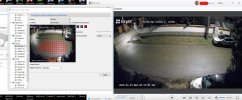
Hi Guys, plz check out the attached screenshot. this is an EZVIZ H3 (so "hikvison") wifi camera with the advanced options enabled in the ezviz studio config file.
this cam has :
  • simple motion detection (as shown in the screenshot)
  • also has AI vehicle and person detection
  • but those are unusable because you cannot set detection zones for them, so will trigger on any car/person that enters the view.

i was hoping if i enable them, they will show up in the advanced menu so i can customize them
but still nothing extra shows up even if i turn on everything in the official smartphone app.

my question, any chance to mod the firmware, so that options for these AI detections will show up? is this even possible?
is there maybe an option file in the camera that will force it to communicate these settings to the advanced menu?

ps: the AI vehicle/person detection is kinda weird, they have no options at all, just on and off (in the phone app)
2025-01-29 023259.jpg
 
ds-2cd1345v2-la пытаюсь изменить регион на EN, изменился но вместе с этим изменился размер контрольной суммы, при прошивке выдает ошибку2025-04-02_23-40-03.png2025-04-02_23-41-20.png2025-04-02_23-42-31.png
 
Hello,
my IPCam ask for uboot password. Problem: no more ethernet or web access. Then i connected with serial communication via USB Stick. I would upload new firmware. Now i have this password problem. My Hardware: Hisilicon HI3516EV300 Board. Can you help me for clean boot to install SoC: HiSilicon HI3516CV300 - OpenIPC

==log=start================================
System startup

Uncompress Ok!

U-Boot 2016.11 (Apr 01 2019 - 18:57:48 +0800)hi3516ev300

Relocation Offset is: 0775e000
Relocating to 47f5e000, new gd at 47f1def0, sp at 47f1ded0
SPI Nor: Check Flash Memory Controller v100 ... Found
SPI Nor ID Table Version 1.0
SPI Nor(cs 0) ID: 0x20 0x70 0x18
Block:64KB Chip:16MB Name:"XM25QH128A"
SPI Nor total size: 16MB
NAND: 0 MiB
In: serial
Out: serial
Err: serial
Net: eth0
Hit any key to stop autoboot: 0
### Please input uboot password: ###
==log=end================================

thx
 
Last edited:
Hello everyone.
Did someone have an experience unpacking 5.4.5 R4 fw?
I have chinese R4 camera which came with 5.4.5 factory fw. The task is to turn it to EU
 
Hi samy2189,

There are 2 files used by Aliexpress seller to update Chinese DS-KH8301-WT intercom indoor monitor to English language.
1. VIS_11_H5_INDOOR_STD_V1.5.0_181101 has Chinese version language attribute in the DAV header file.
It can be loaded by using batch configuration tool or by tftp tool, if you already updated intercom firmware to original English version and got Chinese interface.
This firmware forces device version to English and does full configuration reset, so device shall be activated after firmware upgrade.

2. VIS_11_H5_INDOOR_STD_V1.5.0_181102 has English version language attribute in the DAV header file.
It may be loaded by using batch configuration tool, if you still have patched English firmware on your device, but it may not be loaded by tftp tool (becasue of English version language attribute in the DAV header file).
This firmware forces device version to English, but the configuration reset is not done.

Note: I think that these firmware versions are unofficial releases provided by Hikvision, because all firmware fixes are done at compile time.
The language code fix is done in "GET_BOOT_PARAMS" function by forcing language code to 1.

The language code patch for intercom indoor monitors based on H5 platform:

1. I have found, how the language code is patched in the VIS_11_H5_INDOOR_STD_V1.5.0_181101 firmware (This firmware was attached to my previous post)

The patched file is hicore.
The patched function is GET_BOOT_PARAMS.

Disassembled code:
.text:0003C53C update_language_code__loc_3C53C ; CODE XREF: GET_BOOT_PARAMS__sub_3C36C+1C0j
.text:0003C53C LDR R3, =dword_7344FC
.text:0003C540 STR R4, [R3]
.text:0003C544 MOV R3, #1 ; Load language code 1 (EN)
.text:0003C548 LDR R4, =device_boot_params_addr__dword_A55594
.text:0003C54C LDRB R2, [R4,#0x80]
.text:0003C550 STR R3, [R4,#0x10] ; Store language code (offset 0x10 in the boot params array)
.text:0003C554 CMP R2, #0
.text:0003C558 BNE loc_3C56C
.text:0003C55C BL sub_37B78

2. The disassembled code for the original firmware VIS_11_H5_INDOOR_EN_STD_V1.5.1_190319:
.text:0003CF9C loc_3CF9C ; CODE XREF: GET_BOOT_PARAMS__sub_3CDCC+1C0j
.text:0003CF9C LDR R3, =dword_7B4468
.text:0003CFA0 STR R4, [R3]
.text:0003CFA4 LDR R4, =device_boot_params_addr_dword_B1E33C ;
.text:0003CFA4 ; --------------
.text:0003CFA4 ; Language patch:
.text:0003CFA8 LDRB R3, [R4,#0x80] ; Load language code 1 (EN) -> MOV R3, #1
.text:0003CFAC CMP R3, #0 ; Store language code (offset 0x10 in the boot params array) -> STR R3, [R4,#0x10]
.text:0003CFB0 BNE loc_3CFE4 ; Keep existing functionality -> LDRB R3, [R4,#0x80]
.text:0003CFB4 LDR R3, [R4,#0x10] ; Keep existing functionality -> CMP R3, #0
.text:0003CFB8 CMP R3, #1 ; Keep existing functionality -> BNE loc_3CFE4
.text:0003CFBC BNE loc_3CFD4 ; Keep existing functionality -> NOP
.text:0003CFC0 BL sub_38600

The language patch implementation is defined in comments.

3. I created the patched version VIS_11_H5_INDOOR_EN_STD_V1.5.1_190319 firmware (see attached).
Also attached original and patched hicore files.

4. Loading of the patched firmware:
If you have Chinese interface:
- load VIS_11_H5_INDOOR_STD_V1.5.0_181101 firmware
- activate device
- load VIS_11_H5_INDOOR_EN_STD_V1.5.1_190319_PATCHED firmware.
- reset device configuration

If you already have patched to English firmware:
- load VIS_11_H5_INDOOR_EN_STD_V1.5.1_190319_PATCHED firmware.
- reset device configuration

Hello,
I have had a DS KV9102-1A door phone and a DS KH 8301-1A intercom for a long time.
Following your instructions, I managed to update the DS KH 8301. It became a DS KH 8301-WT.
I naively wanted to do the same thing with the DS KV9102-1A, but it did not work.
The firmware is V1.4.0 build 160831.
Are you able to achieve the same feat?
If so, I would be very grateful.