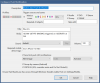
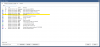
Sounds promising... Can you tell me which checkbox you are referring to? Also, which user does this apply to: admin, anonymous, or myself?This tripped me up for a while as well, until I realized that I also had to go to Settings, Users, Edit user, and add the Push Notification "rights" to this user in the lower left corner of that dialog box (along with which profiles that applies to).
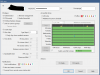
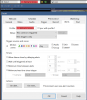
In your attached image, under Notifications, Push notifications, the rights seem to be assigned correctly (all profiles are turned "on" except the "null" profile of "0"). I set them up this way for any User (Name) that is accessing the official B.I App and needs push notifications to work. Of course, I used that capability for a brief period of time until the Pushover App notification method was developed, which is tied to opening Alerts in UI3, which is a vastly superior user experience with much greater flexibility overall. As such, I haven't really dealt with the official BI app and push notifications for quite a while, and only use it to change Profiles remotely.Sounds promising... Can you tell me which checkbox you are referring to? Also, which user does this apply to: admin, anonymous, or myself?
Thanks, Eric
View attachment 164089

The push notification settings in the "Configure Push Notification" appear to be for profile 3. In the User Settings, it looks like you're looking at the settings for Profile 0.
For what it's worth, I'm just using profile 1 for everything atm, but as a new BI user, I'm probably missing out on something. However, I would check the user profile settings for profile 3 if that's what you're using.