- Aug 16, 2015
- 195
- 68
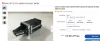
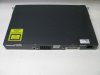
I bought an used 24 ports Cisco 3560V2. It seems to be working ok but the fan is very loud. I'm wondering if I can use the following to quiet the blower fan?
Thanks.
Thanks.


I don't think noctua has the blower fan for my switch.Why not replace the fan with a Noctua fan?
I'm fairly sure the 'low noise' adaptors tell the fan to run at a lower speed and that would mean your Cisco fans may not be combatable.
I use Noctua fan's and I wish I bought them sooner. They are awesome products.
Something like this?I don't think noctua has the blower fan for my switch.
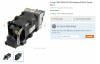
Something like this?
Those looks like two 40*40*20mm fans, such as these: NF-A4x20 PWM
Two fans staked in a sign this device needs some serious air flow and would overheat if the fan speed was reduced.
It's likely the fan controller is setting the speed and would shutdown the device if a fan is not running at the correct speed.
I tried on a Bosch video server to lower the fan speed and the unit shutdown because it though the fans were faulty.
View attachment 162978
Something like this?
Those looks like two 40*40*20mm fans, such as these: NF-A4x20 PWM
Two fans staked in a sign this device needs some serious air flow and would overheat if the fan speed was reduced.
It's likely the fan controller is setting the speed and would shutdown the device if a fan is not running at the correct speed.
I tried on a Bosch video server to lower the fan speed and the unit shutdown because it though the fans were faulty.
View attachment 162978
If someone else has it working then buy it..?Someone has tried it with the low noise adapter but I don't know how long his switch has lasted:

Do you have a photo of the back of the Switch?
Maybe your V2 version is a different animal.
mine had hot swap fans and hot swap PSU's
very proprietary. Even if you do change something, people say the internal log can just keep throwing a fan error code in perpetuity.
At least i was told that about my 2g200-26 fan,
So its now living in the garage.
Case closed.
I'm more concern about fire hazard than anything elseIt's cheap to find out.....LOL...keep researching....share your results with the guys so more people can make the FrankenCisco for their setup
So, just want to share what I ended up doing. I tested with the Noctua low noise filter, didn't do much, I think the resistor was not rated properly for the stock fan.It's cheap to find out.....LOL...keep researching....share your results with the guys so more people can make the FrankenCisco for their setup
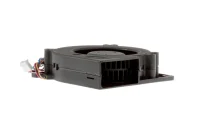
3 pins is power + pwm input signal.I ordered a much less powerful 3 pin blower fan from Amazon
Of course, Cisco switch is giving warning. I checked the console log, it complains about the fan is not working but temperature is OK. I'm going to keep it this way.
The stock fan is 3 pin, I have the 3560v2 switch.3 pins is power + pwm input signal.
4 pin fans have power + pwm input + pwm output.
The switch is complaining because you didn't buy a 4-pin fan with pwm signal output (lets the fan controller count if it is spinning at the right speed).
It actually looked like this:
CIS3560GFAN | Cisco 3560G-24PS/3560G-48PS Replacement Chassis Fan | 4 wire
Cisco 3560G-24PS/3560G-48PS Series Switch Replacement Chassis Fan, 4 wirewww.cablesandkits.com
I'm confused now.The stock fan is 3 pin, I have the 3560v2 switch.
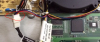
I'm confused now.
The link you mentioned and Reddit post shows 4 pins.
View attachment 164280
Are you sure your unit has 3-pin fans??
Ah.The reddit switch is 3560G and belong to the OP, I have the 3560V2, only 3 pin.
 .
.