

The problem with memory leak weren't solved with 4.6.5, I just revertd back to 4.6.3.0
Cor
Can you tell me more how to "detect" this memory leak? Thanks!
The problem with memory leak weren't solved with 4.6.5, I just revertd back to 4.6.3.0
Cor

you need to select re-encode..Noticed there's a new option (probably added a few versions back) for "Time-lapse" and "Time-multiplier" in export settings. But they are grayed out and can't be modified. Is there a way to change those?
you dont...you are launching the non admin exe file...launch blue iris admin..first reboot (BI as service runs at startup) after installling 4.6.5.3 (from 4.6.4.x) and it asks me for password starting the console ? Don't remember ever needing that before. And once I come with something that gets me 'in', I cannot access camera and/or BI options dialags (to set/check password,) as if i'm not admin or something... WTF?
what did i do wrong, and why did it let me?...
you need to select re-encode..
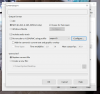
yep, tried that, along with all the other output formats, creating a new file vs replacing, 1pass/2pass, etc.try without the audio track? not sure it make sense to time-lapse audio...

