
Would appreciate some help with a Hikvision camera if possible please.

May 10, 2019
27
2
U.K.
I have a CCTV system with 2 dome cameras and one PTZ. But I have just acquired another dome camera, which I believe is unused, which is very similar to my existing dome cameras and looks to be about the same age. I made a short cable and plugged it into my NVR but the system asks for a password before it is able to recognise the camera. The details of the camera in question are shown below and my question is : do I need to follow the instructions at the beginning of this topic, which look a bit complicated for an elderly dunce like me, or is there and easy way to overcome my problem.

I should probably say that I have tried 12345 and 123456 as passwords but it didn't solve my problem. I would really appreciate and help please.
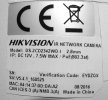
Camera-3.jpg
 
Last edited:
Until you hear from someone on this forum (calling @alastairstevenson !) that is familiar with using the utility SADP to initilize a Hikvision camera and possibly reset the password, I highly recommend that you redact the serial number and the barcode in the image you posted. :cool:
 
Last edited:
  • Like
Reactions: looney2ns
Until you hear from someone on this forum (calling @alastairstevenson !) that is familiar with using the utility SADP to initilize a Hikvision camera and possibly reset the password, I highly recommend that you redact the serial number and the barcode in the image you posted. :cool:
Thank you very much for that @TonyR. I don't understand the dangers of showing the SN and the bar code but I have taken your advice and deleted both items. I hope that all is in order now and thank you, I really appreciate your help and advice. I do actually have the SADP icon on my desktop pc which is all connected to the CCTV system but can't remember why it is there !
 
  • Like
Reactions: TonyR
but the system asks for a password before it is able to recognise the camera.


Try factory resetting the camera. If there is a small cover on the camera body unscrew it. You will likely find an sd card slot and and a black button. Remove the sd card if one is present. Connect the cam to a poe port. Allowing enough time for it to boot up.

Press and hold the button for 30 seconds. Then disconnect from the nvr while still holding the button down. Hold it down for another 30 seconds. Then reconnect while still holding down for another 30 seconds then release.

That should reset the cam and then you can use any new password that you wish.
 
  • Like
Reactions: scooby73466
Try factory resetting the camera. If there is a small cover on the camera body unscrew it. You will likely find an sd card slot and and a black button. Remove the sd card if one is present. Connect the cam to a poe port. Allowing enough time for it to boot up.

Press and hold the button for 30 seconds. Then disconnect from the nvr while still holding the button down. Hold it down for another 30 seconds. Then reconnect while still holding down for another 30 seconds then release.

That should reset the cam and then you can use any new password that you wish.
Wow, that is really very helpful @Jimmyjames. Thank you very much indeed. I will have a go at that later today and report back.
 
Try factory resetting the camera. If there is a small cover on the camera body unscrew it. You will likely find an sd card slot and and a black button. Remove the sd card if one is present. Connect the cam to a poe port. Allowing enough time for it to boot up.

Press and hold the button for 30 seconds. Then disconnect from the nvr while still holding the button down. Hold it down for another 30 seconds. Then reconnect while still holding down for another 30 seconds then release.

That should reset the cam and then you can use any new password that you wish.
Sorry @Jimmyjames but I had a good look at the camera and couldn't find a screw anywhre on the camera body. There is what looks like a small plastic plate that is part of the camera body but I don't know how it would be detached, it just sits flush with the rest of the body.
 
Sorry @Jimmyjames but I had a good look at the camera and couldn't find a screw anywhre on the camera body. There is what looks like a small plastic plate that is part of the camera body but I don't know how it would be detached, it just sits flush with the rest of the body.
Usually there is a screwed on plate with a rubber seal underneath. I’ve never worked with that particular model. There’s gotta be a reset button on there somewhere.
 
I made a short cable and plugged it into my NVR but the system asks for a password before it is able to recognise the camera.
Suggestion :
If the firmware version is still as shown on the label (check with Hikvision's SADP tool), then the camera configuration file should be able to be extracted without the need for authentication. If so, it can be decrypted and decoded to reveal the password.
Use this URL to try to extract the configuration file, then zip it up and attach here :

http://<camera_IP_address>/System/configurationFile?auth=YWRtaW46MTEK