
I have Dahua security cameras in my home and a bridge to the cameras in my shed (all the same cameras). After a dead router we changed to TP-Link and also organised for wifi to be accessible in the shed. Since the change, the cameras in my house don't pick up the cameras in my shed. (I also now can't view them on my mobile phone but that's another problem).
When we logged into the system on a PC it showed a random IP address for the cameras in the shed. The IP addresses were manually changed and the cameras added but this didn't fix the problem of being able to recognise them as a device. We also noticed that instead of Port 1, 2, 3 etc the cameras that weren't being picked up from the shed had Port 37777. Each time it appeared the NVR in the office was interfering with the cameras in the shed.
We were able to view the house cameras when the ethernet cable was plugged in directly in the house. We disconnected the NVR in the house and connected straight into the cameras in the shed - they worked (the shed ones). The wifi also worked.
My question is why does it appear the NVR is blocking some of my cameras since getting wifi in the shed?
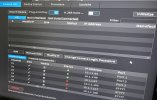
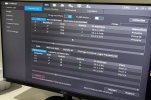
When we logged into the system on a PC it showed a random IP address for the cameras in the shed. The IP addresses were manually changed and the cameras added but this didn't fix the problem of being able to recognise them as a device. We also noticed that instead of Port 1, 2, 3 etc the cameras that weren't being picked up from the shed had Port 37777. Each time it appeared the NVR in the office was interfering with the cameras in the shed.
We were able to view the house cameras when the ethernet cable was plugged in directly in the house. We disconnected the NVR in the house and connected straight into the cameras in the shed - they worked (the shed ones). The wifi also worked.
My question is why does it appear the NVR is blocking some of my cameras since getting wifi in the shed?
