Thanks. I have a dual-NIC setup. the nic that has internet has an internal IP of 192.168.88.208That is the universe telling you that you shouldn't be using port forwarding lol.
What is the IP address of your BI computer and what is the IP address you typed in for port 81 in the router?
Post screenshots and it usually will show the problem was a transposed number.
And who is your ISP? Some provide a system that port forwarding won't work due to the nature of how IPs are assigned.
But like use Tailscale or Wireguard for safer remote viewing.
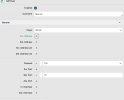
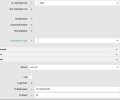

In BI what IP address are you using for the web server, is it set to the same IP or the IP of the other NIC?Thanks. I have a dual-NIC setup. the nic that has internet has an internal IP of 192.168.88.208
Xfinity ISP
View attachment 240453View attachment 240455
In BI what IP address are you using for the web server, is it set to the same IP or the IP of the other NIC?
Is this the guide you used to configure the port forwarding on your router Port Forwarding on Mikrotik: Step-by-Step Guide?

The xFinity "modem" is likely a router/modem combo and you're running a "double NAT" (the Mikrotik router's WAN port is connected to the xFinity's LAN). It works, just might be a tad faster if the xFinity was bridged and not trying to route also.Ok i solved it. I had to add another port forward on the xfinity modem. it acts as another barrier


