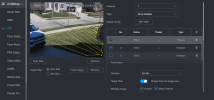
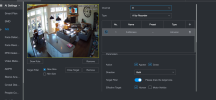
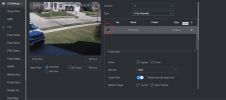
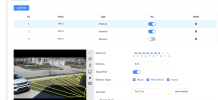
Trying to create AI rule on Amcrest camera with NVR

Dec 13, 2023
167
81
Ohio
Good morning,

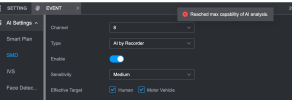
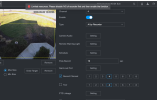
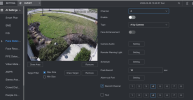
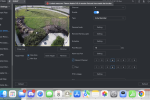
I have a little Amcrest 841 that I use indoors that captures my entire great room. It's connected to my NVR8CH-8P-2AI via Wifi. I have it to record 24/7. I am trying to setup IVS intrusion or SMD on it via the NVR to capture movement in the room in the overnight hours. When I attempt to set this up, I get some errors. See pics. I DO have the NVR doing face detection on two other cameras (5442) but I think the NVR should be able to do more according to the docs I read. I even tried to disable the FD on one of the other cams but I still get the error message.

Thanks!

Screenshot 2026-03-08 at 8.55.45 AM.pngScreenshot 2026-03-08 at 8.56.32 AM.png
 
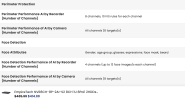
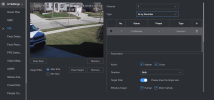
So as I continue to trouble shoot, I disabled all FD and recognition on the NVR for all other cams and then activated IVS intrusion and the great room camera above and it now works on that camera. However when I went back to my front porch cam to try to re activate face detection, I get an error. See picture. So are face detection and IVS done by the NVR on different cameras not possible? I also attached a picture of some of the specs of the NVR I have which indicates what I am trying to do is possible unless I am misunderstanding some things. @bigredfish any thoughts? Thanks!Screenshot 2026-03-08 at 12.40.35 PM.pngScreenshot 2026-03-08 at 12.48.58 PM.png
 
The capacity of the NVR is limited with each AI option you use.

It sounds like you set up all AI within the NVR instead of the camera?

Some of that stuff can be setup in the camera instead, freeing up resources for the NVR to do it on "dumb" cameras.

For example, IVS on the 5442 should be setup in the camera, not the NVR.
 
The capacity of the NVR is limited with each AI option you use.

It sounds like you set up all AI within the NVR instead of the camera?

Some of that stuff can be setup in the camera instead, freeing up resources for the NVR to do it on "dumb" cameras.

For example, IVS on the 5442 should be setup in the camera, not the NVR.
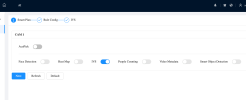
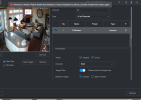
Thanks for the feedback... So as you guys always say on here, I know ALL rules and mostly everything that can be done on camera GUI, should be done on the cam itself.. I always subscribe to this rule so I double checked through the NVR GUI to make sure that was the case and it indeed was. I have 8 cams connected to the NVR and I went through each channel and ensured that the NVR AI was not doing the IVS, but rather the camera itself was .. See picture for camera 1 which is indicative of cameras 1-7.

Screenshot 2026-03-08 at 1.08.51 PM.pngScreenshot 2026-03-08 at 12.57.24 PM.png

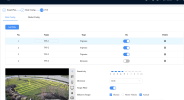
Camera 8 is the ONLY camera which now has the IVS by recorder rule set to it.

Screenshot 2026-03-08 at 1.01.06 PM.png
 
That looks like AI by recorder.

That image for camera 1 even says AI by recorder.

That is the NVR GUI.

You need to be in the camera GUI.
 
That looks like AI by recorder.

That image for camera 1 even says AI by recorder.

That is the NVR GUI.

You need to be in the camera GUI.
Yea I know I was in the NVR GUI just so I could show you that the AI rule by NVR for CH 1 was not "check marked" See pic... Guess I could just delete that out of that section.

Screenshot 2026-03-08 at 12.57.37 PM.png


I also attached that same cams GUI IVS section. This is where I setup all my cams rules.

Screenshot 2026-03-08 at 2.30.37 PM.png
 
Now try a reboot of the NVR to clear out any of that and see if you can add.
 
Now try a reboot of the NVR to clear out any of that and see if you can add.
Yea I thought the same thing...I re booted but still same error... I dont know what in the world I am doing wrong here... I have an IVS rule that I setup on camera GUI

Screenshot 2026-03-08 at 4.44.05 PM.pngScreenshot 2026-03-08 at 4.44.26 PM.png


and now I simply want to set up Face detection on the NVR for that same camera. Here is same camera in the NVR GUI showing I have a IVS setup on camera..

Screenshot 2026-03-08 at 4.45.53 PM.png

Then I click "recover" for that came camera to enable "AI mode"
Screenshot 2026-03-08 at 4.47.32 PM.png

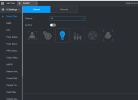
Then I go to "Face detection" for that camera and you see "AI by camera" is not enabled
Screenshot 2026-03-08 at 4.49.04 PM.png
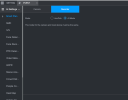
And switch to "AI by recorder" and try to enable it and I get the error
Screenshot 2026-03-08 at 4.51.40 PM.png

I DO have ONE NVR AI rule (IVS) setup on another camera(the "dumb" Amcrest camera)
 
sooooo I went into that Amcrest camera and disabled the NVR IVS rule on it and then went back to the camera in question I am trying to setup FD on, and ....BAM it worked.....lol so I guess thats what the conflict was giving me the error, "Limited resources, Please disable the IVS of recorder first and then enable the function." Soooooo, I cannot do TWO different AI functions by the NVR at the same time???