
Setup to allow NetTime to Work

HoosierD

Getting the hang of it
May 29, 2018
43
28
Ventura, California
I recently migrated my BI server to a new Win11 PC (from Win10). I just noticed that the cameras are not syncing with NetTime? I dug around here for a bit, turned off the Win11 time service, opened UDP port 123 in Win firewall, start/stop the service, did camera restarts, and I still can't get the time to sync. This effects both old and new GUI cameras, but evident that I am not connecting to NetTime when I do a Manual Update. I've changed the network settings in the cameras to be "real" (as opposed my norm of a BS gateway and no DNS) thinking the camera couldn't navigate to NetTime, that didn't help. What am I missing? I love(d) NetTime.
 

Attachments
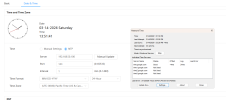
  • Screenshot 2026-03-14 135207.png
    Screenshot 2026-03-14 135207.png
    57 KB · Views: 5
Last edited:
Is the new computer the same IP address of the previous computer?

If not, you will need to go into each camera GUI and change it or change the computer IP to match the old.
 
I had an issue with the cameras connecting to a local NTP server, the fix that work for me was the network needs to be set to private and make sure your firewall is not blocking port 123.
 
  • Like
Reactions: looney2ns
Thanks Mike. Yea, that's how I'm setup.

This has taken on a new flavor. I enable debug level logging in NetTime, and see each camera reach in for a time. What is not happening, is the timestamp updating in the cameras. Overlays are for sure being added at the camera level and not BI. Outbound firewall rule allows for port comms. I'm stumped on this one.

Reinstall NetTime time. Anyone using the 3.20 Alpha version?
 
Not sure what happened. I reinstalled NetTime and bam, all times synced.

Thanks for the time folks! Always appreciated and cannot praise this forum enough. I may not have many posts, but I probably have 100's of hours of my life with you guys in front of me.