

PTZ5A4M-25X vs PTZ4M-25X
- Thread starter JL-F1
- Start date
You are using an out of date browser. It may not display this or other websites correctly.
You should upgrade or use an alternative browser.
You should upgrade or use an alternative browser.
 No way for me to know. Mine will if winds are high enough, but its made it through fine the past 2 hurricanes



View attachment 240390
According to the spec sheets on both cameras they say the web gui works on Safari. Can anyone confirm that it actually does, especially setting IVS lines?
Just because it says it doesn't mean it actually works LOL. We have seen many people come here and make settings in one browser and open up IE and it shows completely different.
tmxv4128
Getting comfortable
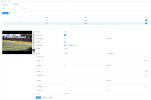
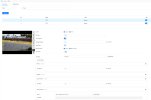
I had trouble making settings for the PTZ5A4M-25X in Safari on my Mac. Switched over to the Google Chrome browser and that works well. Just now tried logging into the camera in Safari, and it seems to have solved the problems I had been having. I am running OS Tahoe 23.6.1. I successfully drew some triplines and an intrusion area, and they work as expected.View attachment 240390
According to the spec sheets on both cameras they say the web gui works on Safari. Can anyone confirm that it actually does, especially setting IVS lines?
Attachments
Last edited:
Perfect. Thank youI had trouble making settings for the PTZ5A4M-25X in Safari on my Mac. Switched over to the Google Chrome browser and that works well. Just now tried logging into the camera in Safari, and it seems to have solved the problems I had been having. I am running OS Tahoe 23.6.1. I successfully drew some triplines and an intrusion area, and they work as expected.
Well I’d rather ask for others experiences and how it reacts before diving in.Just because it says it doesn't mean it actually works LOL. We have seen many people come here and make settings in one browser and open up IE and it shows completely different.
tmxv4128
Getting comfortable
I will add that what Wittaj stated is correct with several cameras. Besides the PTZ5A4M-25X which I use now, I also have a couple SD49225XA-HNR PTZ's that show as if they work with Safari and Chrome on a Mac, but the settings (like tracking duration) don't hold, and in fact; some settings on the screen remain hidden. I could only set them up correctly after purchasing a mini PC and using Internet Explorer. The PTZ5A4M-25X seems to be working fine with my Mac, although as noted above, sometimes the Mac OS updates cause problems. I think PTZ5A4M-25X is a great camera, and nothing else comes close in price with its ability in low light at night.Well I’d rather ask for others experiences and how it reacts before diving in.

Hi Andy,
I have a PTZ4M-25X-PV currently running firmware V3.200.0000027.0.R, Build Date: 2025-01-20.
I'm trying to update to the latest version V3.200.0000028.3.R.260119 available on your website, but I'm unable to do so through any method:
The reason I need this update is that the white light activation on motion detection is not working correctly — the light is either always ON or the camera stays in B&W IR mode, with no way to trigger the white light on detection events only.
Could you please advise on how to force the firmware update, or provide an alternative firmware file that might work?
Thank you very much for your help.
I have a PTZ4M-25X-PV currently running firmware V3.200.0000027.0.R, Build Date: 2025-01-20.
I'm trying to update to the latest version V3.200.0000028.3.R.260119 available on your website, but I'm unable to do so through any method:
- Via camera web interface: the update fails and the camera reboots immediately with the message "device could not be updated"
- Via ConfigTool: returns "Incorrect Username or Password" even though credentials are correct
- DMSS app reports my current version is already the latest
The reason I need this update is that the white light activation on motion detection is not working correctly — the light is either always ON or the camera stays in B&W IR mode, with no way to trigger the white light on detection events only.
Could you please advise on how to force the firmware update, or provide an alternative firmware file that might work?
Thank you very much for your help.
tmxv4128
Getting comfortable
I had difficulty updating the same camera and finally had to resort to climbing the ladder and doing a factory reset. That fixed the issue, and it finally updated ok. Did you try a reset before updating?Hi Andy,
I have a PTZ4M-25X-PV currently running firmware V3.200.0000027.0.R, Build Date: 2025-01-20.
I'm trying to update to the latest version V3.200.0000028.3.R.260119 available on your website, but I'm unable to do so through any method:
- Via camera web interface: the update fails and the camera reboots immediately with the message "device could not be updated"
- Via ConfigTool: returns "Incorrect Username or Password" even though credentials are correct
- DMSS app reports my current version is already the latest
The reason I need this update is that the white light activation on motion detection is not working correctly — the light is either always ON or the camera stays in B&W IR mode, with no way to trigger the white light on detection events only.
Could you please advise on how to force the firmware update, or provide an alternative firmware file that might work?
Thank you very much for your help.
I had difficulty updating the same camera and finally had to resort to climbing the ladder and doing a factory reset. That fixed the issue, and it finally updated ok. Did you try a reset before updating?
"HiI had difficulty updating the same camera and finally had to resort to climbing the ladder and doing a factory reset. That fixed the issue, and it finally updated ok. Did you try a reset before updating?
tmxv4128
,Thanks for the suggestion. Actually, I followed a very similar troubleshooting process. I took the camera down from its mount and performed a full factory reset.
To isolate any potential network or PoE conflicts, I connected it directly to the main modem/router. I then attempted the firmware upgrade twice: first using its default IP address right after the reset, and then again after assigning its definitive IP. Unfortunately, the result was exactly the same in both instances—the camera completely rejects the upgrade.
It seems this particular unit is facing a deeper firmware compatibility issue or a hardware lock, as the standard reset procedure didn't resolve it. Any other insights you might have would be highly appreciated."
Hi Andy,"Hi
tmxv4128
,
Thanks for the suggestion. Actually, I followed a very similar troubleshooting process. I took the camera down from its mount and performed a full factory reset.
To isolate any potential network or PoE conflicts, I connected it directly to the main modem/router. I then attempted the firmware upgrade twice: first using its default IP address right after the reset, and then again after assigning its definitive IP. Unfortunately, the result was exactly the same in both instances—the camera completely rejects the upgrade.
It seems this particular unit is facing a deeper firmware compatibility issue or a hardware lock, as the standard reset procedure didn't resolve it. Any other insights you might have would be highly appreciated."
I wanted to follow up and let you know that the firmware update issue has been resolved.
After multiple failed attempts using the web interface, ConfigTool, and DMSS — all with the file downloaded from your portal — I found that the same firmware (General_SD-Taurus_MultiLang_PN_Stream3-Normal_V3.200.0000028.3.R.260119) is also hosted on Dahua's official support server at files.dahuatech.support. Downloading it from there and applying it via the camera's web interface worked immediately without any issues.
I'm not sure whether the difference was in the file packaging (zip vs. bin), the download source, or something else entirely — but it may be worth noting for other users who experience the same problem.
Thank you for your support and for making this firmware available. The camera is now updated and running the new version.
Best regards

AKHwyJunkie
n3wb
Thanks for this. I've been chasing down the same annoying oddities with the lighting on my two PTZ4M-25X-PV PTZ's for a bit over a year now. Hit the same issue with Andy's firmware. The logs showed that the HWID verification failed with Andy's version. Following the same path you did got me on V3.200.0000028.3.R.260119. So, thanks!I found that the same firmware...