NVR16CH-16P-2AI Settings Not Being Saved

kd4e

Pulling my weight
Jun 11, 2023
301
138
Nevils, GA USA
I have the mouse and keyboard connected to the front of our NVR16CH-16P-2AI (I'm not on the Web interface).

When I change Storage - Snapshot - Channel from D1 to ALL, then click Apply - when I go to Disk Manager and back to Schedule - it's back to D1.

Is there another setting that I may have inadvertently changed that's causing this?

Is this a known problem and I need to update the firmware?

Or ... ??

UPDATE: It will not save the setting if I change Storage > Record Mode to Auto (which is one suggestion that I found for problems with Dahua NVRs).

Thanks!
 
Last edited:
  • Like
Reactions: Flintstone61
I wonder if it behaves differently trying on the Web interface? worth a try? maybe you did already...just spit ballin....
 
Which browser are you using?
None, for this experience. I'm directly connected to the NVR with keyboard and mouse. I've tried Brave, Chrome, and Firefox, and in keeping with what I've read online - they all allow fewer actions via the Web interface than when directly connected. (Which, to me, makes sense. There are some changes I would think we would not want to be available without the 'security' of physical access to the NVR.)
 
The browser is your problem. These things are browser dependent.

Internet Explorer will give you way more options than the NVR.

How to enable native Internet Explorer in Windows 10 and 11:
  • Open Notepad:
    • Copy then paste the single line of code below into Notepad:
    • CreateObject("InternetExplorer.Application").Visible=true
    • Save as OpenIE.vbs
  • Make sure the the file name ends in .vbs not .txt, If it ends in .txt you must rename to .vbs
  • Create a shortcut to the above file and double-click it anytime you want native Internet Explorer.
 
The browser is your problem. These things are browser dependent.

Internet Explorer will give you way more options than the NVR.

How to enable native Internet Explorer in Windows 10 and 11:
  • Open Notepad:
    • Copy then paste the single line of code below into Notepad:
    • CreateObject("InternetExplorer.Application").Visible=true
    • Save as OpenIE.vbs
  • Make sure the the file name ends in .vbs not .txt, If it ends in .txt you must rename to .vbs
  • Create a shortcut to the above file and double-click it anytime you want native Internet Explorer.
I have no interest in Web access atm. Please don't tell me that the firmware/interface for this rebranded Dahua NVR is so poorly designed that a deprecated as too-insecure and unstable browser (by-MS, a low standard) could have more access to settings than a mouse and keyboard directly connected to the NVR.
 
It is well documented in this forum that the GUI will give you more functionality than a mouse and keyboard connected to the NVR. And usually results in settings stick.

It is the same even with Dahua branded...and Hikvision branded...along with every rebranded variation that exists.

And yes it is well documented throughout this forum that Internet Explorer is the preferred browser of these manufacturers.

It is well documented around the forum why Dahua and Hikvision haven't "modernized" their GUI.

It comes down to IE was the most popular browser when these cameras started to be made, so they centered the firmware around one particular browser and they got lazy and never updated the internals of the program to play nice with other browsers as more became available and IE started to fade.

Back when the firmware was written, it was probably a pain to get it to play nice with every different browser, so they went with the most popular one.

They haven't had a need to address this because their intended market (remember it isn't us) is mainly businesses where they have enough light they can stay in default settings so they don't have a need to login to the camera via browser. It is us homeowners that push these to the limits and actually change settings.

As long as their intended market simply uses the NVR as a recording device and to display it on a monitor, they have no need to change what works for their intended market.

Further, Steve1225, who is an installer and works closely with Dahua, said it best here in this post:

1761029414842.png


Even though Microsoft has sunset Explorer, it is still available in Windows 11 (hidden). Many older programs rely on the old Trident (HTML-) Engine from IE, even stuff as basic as the old Control Panel. Old browsers are old, so unlike modern browsers where the WebView can be its own component, it's either all or nothing. And since the engine is still required not to break Windows functionality and apps from before 2015, it's still included (but mostly hidden). The whole file manager system is still based on IE. That's also why Device Manager and Control Panel are still there too. Similar to Dahua and Hikvision, Microsoft changed the UI and not the core, and added new features to upgrade its OS. A lot of legacy stuff are hidden.

 
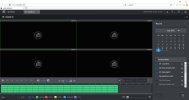
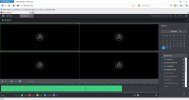
Here is one of the many posts @bigredfish has posted showing how features are missing based on which browser is used:

 
Even though Microsoft has sunset Explorer, it is still available in Windows 11 (hidden). Many older programs rely on the old Trident (HTML-) Engine from IE, even stuff as basic as the old Control Panel. Old browsers are old, so unlike modern browsers where the WebView can be its own component, it's either all or nothing. And since the engine is still required not to break Windows functionality and apps from before 2015, it's still included (but mostly hidden). The whole file manager system is still based on IE. That's also why Device Manager and Control Panel are still there too. Similar to Dahua and Hikvision, Microsoft changed the UI and not the core, and added new features to upgrade its OS. A lot of legacy stuff are hidden.

OK, thanks for the (bad) news. At least it's all more clear to me now. Sigh.