New RCA HSDB2A 3MP Doorbell IP Camera

Does anyone have Hik firmware version 211101 that they can share? The url found here is dead:
Thanks
 
  • Like
Reactions: pete_c and David L
Does anyone have Hik firmware version 211101 that they can share? The url found here is dead:
Thanks
I have the Hikvision version
 

Attachments

  • Like
Reactions: pete_c and David L
I have the Hikvision version
Thanks for the firmware, it worked on my Laview variation of the Hikvision doorbell.

Does anyone recall how to enable to mechanical chime? I couldn't find the setting in the EZVIZ app and the Hik-Connect app fails to connect each time
 
  • Like
Reactions: David L
Thanks for the firmware, it worked on my Laview variation of the Hikvision doorbell.

Does anyone recall how to enable to mechanical chime? I couldn't find the setting in the EZVIZ app and the Hik-Connect app fails to connect each time
I had a LaView version for a little over 3 years, left it at house when we sold it. I ran their firmware since is supported ONVIF. Just sharing...

Try Guarding Vision App


I replaced my old Nelly (NSC-DB2) with Hikvision firmware (HikVision FW build 200321) last year with a new EZViz DB1.

The Nelly DB PIR was cracked and the doobell ringer would stick on.

I installed the Hikvision firmware (HikVision FW build 200321) on it and used the Guarding Vision ap to enable the doorbell chime.

It is working fine and not connected to the cloud or any Android App; removed Guarding Vision from phone.

What is the difference between HikVision FW build 200321 and FW build 211101? I have not had any issues with FW build 200321

Duck AI
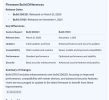
HikVision firmware build 200321 was released on March 21, 2020, while build 211101 was released on November 1, 2021.
1785008302635.png
 
Last edited:
  • Exclamation
Reactions: David L
Does anyone have EZVIZ 200220 that that they can share? The URL in this thread is version 211011 not the labeled 200220

I haven"t had success turning back on mechanical chime so i"m going to try this method:
I have 200220 but I have it labeled as EUR (Europe), can't tell you if that matters, noticed the Poster is from Utah that used it.


Here is what I have:
1785416120632.png
 

Attachments

Last edited:
Does anyone have EZVIZ 200220 that that they can share? The URL in this thread is version 211011 not the labeled 200220

I haven"t had success turning back on mechanical chime so i"m going to try this method:
If you don't feel comfortable with the EUR firmware I posted you could always try going back to 191211

Just FYI, EZVIZ kept the same filenames for all their firmware upgrades, I just left them the same name but kept them in separate folders...
 

Attachments

Lastly, I may be wrong but will share, I seemed to remember people finding out it was the EZVIZ App that was removing the Mech. Chime option. Which version started this, don't know.

I have not owned my Hik Doorbell for a couple of years now, I moved on to ReoLink's Doorbell but have been reading/watching this Thread still...

I still have the Original LaView firmware 190716 which I ran on my LaView for 3+ years. It was the first Brand/Company that sold the Hik Doorbell to include ONVIF support so I never upgraded to any other firmware, it worked good for me. I also used the EZVIZ App but I got my ReoLink about the time others here were complaining of losing their Mech. Chime so I can't help with that.

1785417346523.png

So the Guarding Vision App didn't work?
 

Attachments

The mechanical chime is finally working again and I think the problem of not being able to configure the device after it was joined to wifi was because of an AP Isolation setting on my wireless access point. I'm running Aruba InstantOn AP22 WAPs and I have the VLAN where the cameras are setup as a Guest network. In Aruba ION, setting the network as Guest automatically applies isolation as well as some other settings. Guest is what that network should be to keep devices isolated from each other.

To set the chime, the EZVIZ app must be able to communicate with the doorbell on the same LAN after initial setup has completed.

I used a GL.inet travel router and reconfigured the 2.4 GHz network to match my security camera WiFi network and then connected a device with the EZVIZ app and the doorbell to the travel router. Set it up as usual, but this time the EZVIZ app said progressed through all three steps and then presented the options to configure the doorbell.

Thanks to everyone for your support and firmwares
 
  • Like
Reactions: David L and pete_c
Can anyone share their Video/Audio stream settings from the doorbell? I didn't document what I had previously and now get constant "Check FPS and key rates" problems and signal loss?