IP Camera Installation Question

Seth-11

Young grasshopper
Jul 16, 2025
30
17
Illinois
I'm setting up my old camera system in a new larger building, and have one question

The front office area where the router is located is approximately 75- 100 yards from rear of the building where we need a camera installed. And I would prefer not to have to run a 100 yard ethernet cable through the vaulted ceiling to reach that far.

Is it possible to setup a second router at the rear of the building, plug the PoE camera into the second router, and set it up to wirelessly connect to the first router in the front office so that the front office can receive the wireless camera feed from the other end of the building

I thought that might be possible if the second router is setup as a range extender/access point, which then might send the video signal wirelessly to the main router in the office at the front of the building

I know the wireless signal from the front office can reach the rear of the building because I can connect my phone to it from the rear of the building, although not that strong


Any thoughts on this?
 
Last edited:
Any thoughts on this?
Suggestion -
Check what throughput a router as a WiFi range extender, if it has that functionality (unlikely), would provide by placing the router where you want the camera, connecting a laptop to it, and checking what throughput is achieved to see if it's good enough for the steady stream of a camera, maybe download a large file and watch how consistent the speed is.
 
  • Like
Reactions: gwminor48
Is there a standard 120VAC wall outlet near where the IP camera is to be installed that is served by the same electrical panel that is connected to another standard 120VAC wall outlet in the front office?

If so and the two electrical outlets are on the same side of the electrical panel (either L1 or L2) you might consider a PLA (power line adapter).

They can also be had with POE at the camera end (be sure to match brands/tech) or you can use a 802.3af/at compliant POE injector at the POE camera end.
 
Last edited:
As an Amazon Associate IPCamTalk earns from qualifying purchases.
Suggestion -
Check what throughput a router as a WiFi range extender, if it has that functionality (unlikely), would provide by placing the router where you want the camera, connecting a laptop to it, and checking what throughput is achieved to see if it's good enough for the steady stream of a camera, maybe download a large file and watch how consistent the speed is.
Not sure what you're referring to. The distance between router #1 and router #2 is closer to 75 yards. And I have received a video stream from that same router at another workplace from that same distance without any problems

I want to wirelessly connect a PoE camera from one end of the warehouse to the other end where the main router is, so I don't have to string a cable.

If that is not possible, I can alternatively setup another separate router at the rear of the building, for that one lone camera. Which means router #1 and router #2 won't be accessible at the same time on the same device (I assume)

But that's my last option
 
Is there a standard 120VAC wall outlet near where the IP camera is to be installed that is served by the same electrical panel that is connected to another standard 120VAC wall outlet in the front office?

If so and the two electrical outlets are on the same side of the electrical panel (either L1 or L2) you might consider a PLA (power line adapter).

They can also be had with POE at the camera end (be sure to match brands/tech) or you can use a 802.3af/at compliant POE injector at the POE camera end.
I seriously doubt it, its a huge building partitioned up into 3 separate businesses, and electrical wires run through walls.

This is just a minor problem, it's not a big deal if we don't have all cameras on the same WiFi connection

I can put this one orphan camera at the back of the warehouse on a separate router and connect to it separately on a separate device, which is not a problem, just a miniscule inconvenience

I thought it might be possible to plug the PoE camera into a small range extender or router to wirelessly send the video to the main router, but maybe that's not possible

Then it will be step #2. A separate router for that one camera
 
As an Amazon Associate IPCamTalk earns from qualifying purchases.
Not sure what you're referring to. The distance between router #1 and router #2 is closer to 75 yards. And I have received a video stream from that same router at another workplace from that same distance without any problems
Sorry if I wasn't clear.
Generally a spare router can simply be used as a wireless access point by disabling it's DHCP function, giving it a fixed LAN IP address, and wiring one of it's ethernet ports to the main LAN, and then wireless devices can connect to it and get network service.

However - a wireless range extender doesn't just provide network service to devices that connect to it - but, in the absence of a cable to connect it to the main LAN, must itself also connect wirelessly to another access point.
I was doubting if a regular router had that additional capability.
 
  • Like
Reactions: gwminor48 and TonyR
I seriously doubt it, its a huge building partitioned up into 3 separate businesses, and electrical wires run through walls.
In that case I don't see how a "standard Wi-Fi" wireless signal can make it 75 yards through those all those walls and businesses to work well with the camera at it's intended location.

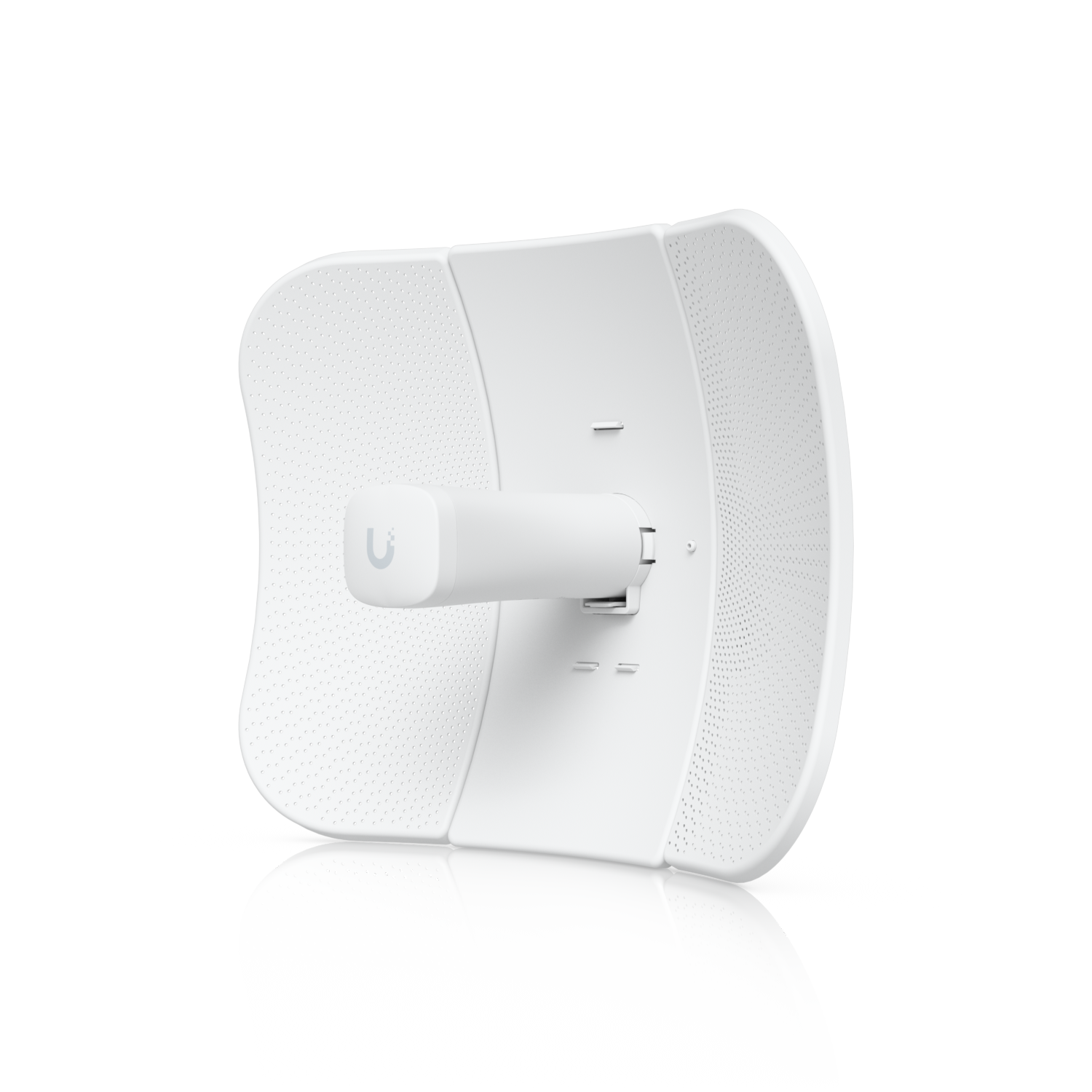
You might use a pair of higher-powered Ubiquiti NSM-2 radios to create a wireless layer 2 transparent bridge. 2.4GHz has better wall penetrating power than 5GHz, at the camera end you plug into the camera's Ethernet port and supply POE power with a POE injector. More expensive and involved I know but more likely to work well. A site survey would show current 2.4GHz channels in use so the bridge could be set to use a channel that would be less likely to interfere with existing office Wii-Fi.

One last question: Is there one utiity power meter on the building or one meter for each of the 3 businesses?
 
  • Like
Reactions: Mike and looney2ns
In that case I don't see how a "standard Wi-Fi" wireless signal can make it 75 yards through those all those walls and businesses to work well with the camera at it's intended location.

You might use a pair of higher-powered Ubiquiti NSM-2 radios to create a wireless layer 2 transparent bridge. 2.4GHz has better wall penetrating power than 5GHz, at the camera end you plug into the camera's Ethernet port and supply POE power with a POE injector. More expensive and involved I know but more likely to work well. A site survey would show current 2.4GHz channels in use so the bridge could be set to use a channel that would be less likely to interfere with existing office Wii-Fi.

One last question: Is there one utiity power meter on the building or one meter for each of the 3 businesses?
I have no idea how many meters are in the building, our parent company pays the bills. I suspect if there are three separate businesses, there are three separate meters. I don't even know where our meter is located

There are two thin drywalls (a 20ft break room) between the front office where the router is, and the back of the building where I want to put the camera. The 2 other businesses are on both sides of us

Like a 100 yard football field, 10 yards at one end of the field that contains one small business, and 10 yards at the other end of the field that contains the other small business, and we are sandwiched in-between them, we take up 80% of the space in the middle of them.

The front of our building is on one sideline and the back of our building in on the other sideline. And 90% of our floor is wide open space, with only two thin drywalls between the front office that is on one sideline, and the back of the warehouse at the other sideline. The only concert indoor walls we have (besides our front and back walls) are on the 10 yard lines near both end zones that separate our business from the other two

The router in the front office shows about 30-40% on my phones WiFi signal from the back of our warehouse, probably because it's 90% open space in our warehouse with only 2 thin drywalls to penetrate to the office. The office and the break room take up only 10% of the total space in the building

The only testing I have done with WiFi video is between two phones (one phone as the camera and one phone as the monitor) from the back end of the warehouse.

And both phones can connect to the router approx 70 yards away (90% wide open space) and I can get a smooth video feed. But that doesn't mean I'll have the same success with a HD camera over wifi

I'm starting to think the best option is a separate router at the back of our building for that one camera, which now seems like the easiest solution. I might try that Ubiquiti solution at a later date

Because if the router signal in the front office can reach the back of the building, a router signal at the back of the building can reach the front office. And it takes only 5 seconds to switch over to the other router
 
Because if the router signal in the front office can reach the back of the building, a router signal at the back of the building can reach the front office.
And both routers would need to support bridge mode multi-access capabilities to connect them together over their wireless signals to work as a range extender.
A standard router without that wireless bridge mode capability will not connect to another access point over wireless.
 
  • Like
Reactions: TonyR and looney2ns
The suggestion above about using a WIFI radio link seams to be the easiest solution. Have used the Ubiquiti airMAX Lite Beam (about $120 total) for a number of years to send data from a remote POE camera to Blue Iris. Just think of the link as a long CAT 5-e cable but without POE. The working link range about 15 km.


The UI folks have a number of systems that could work for your application. One could first try the system inside and if the signal is not up to standards then mount the antennas outside.

Both ends will require 110 VAC at 7 watts. If the camera is POE then add one POE injector at the camera end. The bandwidth (450 Mbps throughput) would allow for the addition of cameras that can then be powered by a single 5 to 8 port POE switch mounted at the far end.