

- Mar 27, 2015
- 134
- 4
This is embarrassing - But how do i adjust the size of the screens in BI Gui?
I know you go to "edit layout" and you can drag and drop. I have unused gray bars/Areas around the cameras (never had before) . I am currently using the Quick 1-up layout. How does the GUI "box" size itself? I used to be able to resize Th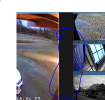 e Clip box also b
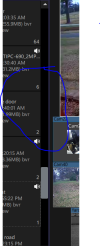 y dragging the sides, top, and make it skinnier.
I know you go to "edit layout" and you can drag and drop. I have unused gray bars/Areas around the cameras (never had before) . I am currently using the Quick 1-up layout. How does the GUI "box" size itself? I used to be able to resize Th
e Clip box also by dragging the sides, top, and make it skinnier.