High Bitrate..............

Keizer

Getting comfortable
Jan 3, 2023
363
653
Wa
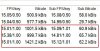
Looking at "Blue Iris status" one of my cameras shows a way higher bitrate number. These are brand new 4K T cameras with exactly the same settings in both the web based GUI as well as in Blue Iris. What's also odd is when I have "direct to wire" selected in advanced web server settings this same camera with the high bitrate won't populate in UI3 or in the Blue Iris mobile app on my phone. My other two 4K T's work fine. The two top cameras are a couple of my old Lorex cams.

2023-04-13 07 57 21.jpg
 
Is the firmware version the same?
 
I suggest you factory reset the one with the crazy high bit rate and try setting it up from scratch again. Something may have gotten corrupted along the way the first time.
 
  • Like
Reactions: Parley
I suggest you factory reset the one with the crazy high bit rate and try setting it up from scratch again. Something may have gotten corrupted along the way the first time.

I'll give that a try. Thanks.
 
Depending on your configuration, yeah, that is about 9 to 11 Mbps which is very reasonable.
 
  • Like
Reactions: fenderman
I went outside and disconnected the camera and brought it back into my office. I connected it to my POE switch with a short brand new ethernet cable. now the bitrate is on par with the other two 4K T's. Also the camera now shows in UI3 and the phone app with "direct to wire" selected. Obviously something going on with my ethernet cable.

What's interesting is I had my old Lorex system up for over six years. Out of all eight cameras, I only had one failure and it was the camera attached to this same Ethernet run.

2023-04-13 08 45 25.jpg
 
  • Wow
Reactions: Flintstone61
Blue Iris gives bit rates in kilobytes per second. To convert to megabits per second you just divide by 125.
 
That is quite suspicious. I don't know how a bad cable would cause the bit rate to triple though. Also can't be sure if UI3/mobile app's failure to decode the stream was due to simply high bit rate or if there was some actual data corruption in there.
 
  • Like
Reactions: fenderman
I connected one of my other 4K T's to this cable and the bitrate stayed in the normal range. So I'm thinking it's something to do with the camera itself. I will reset it and see how it behaves.